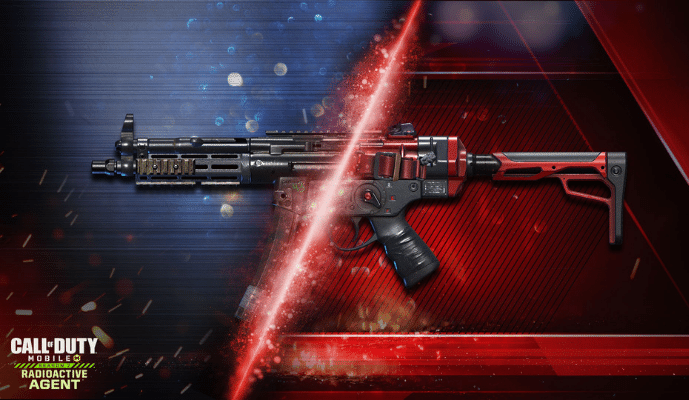
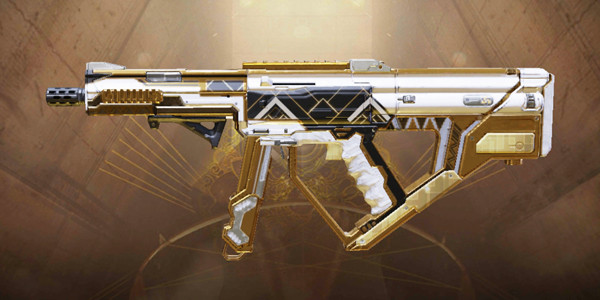
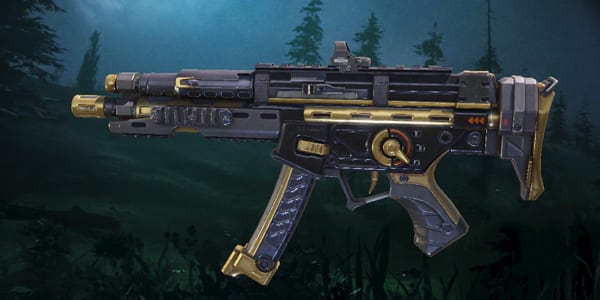
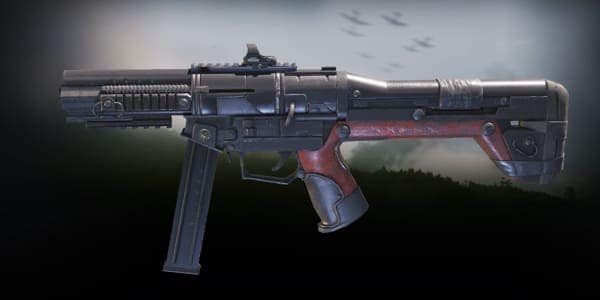
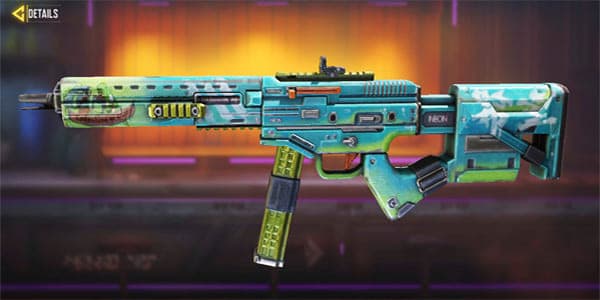
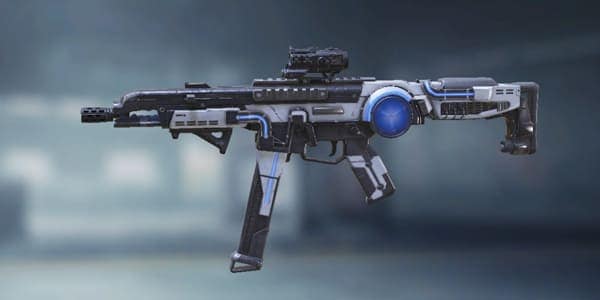
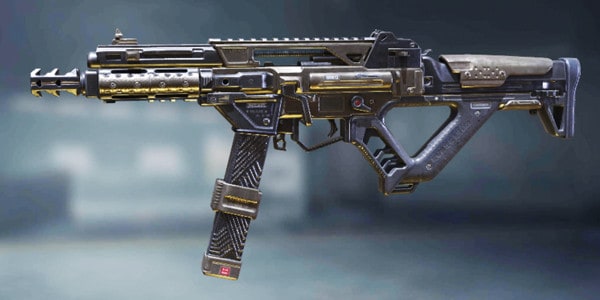
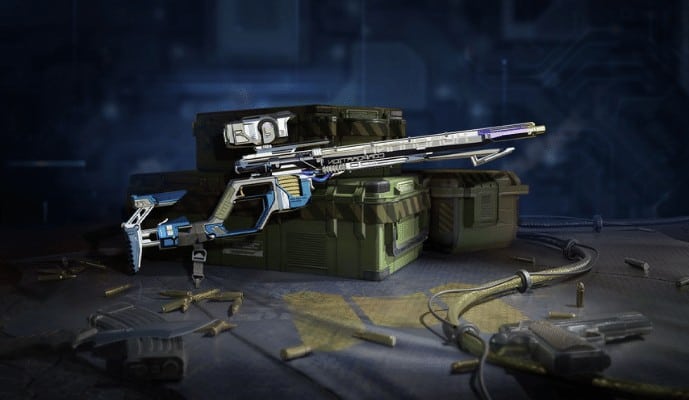
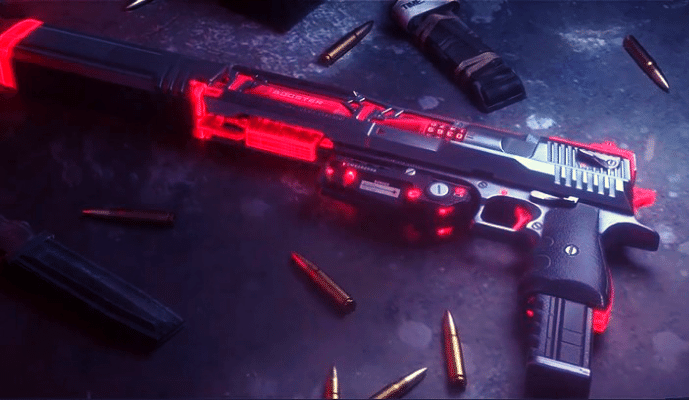
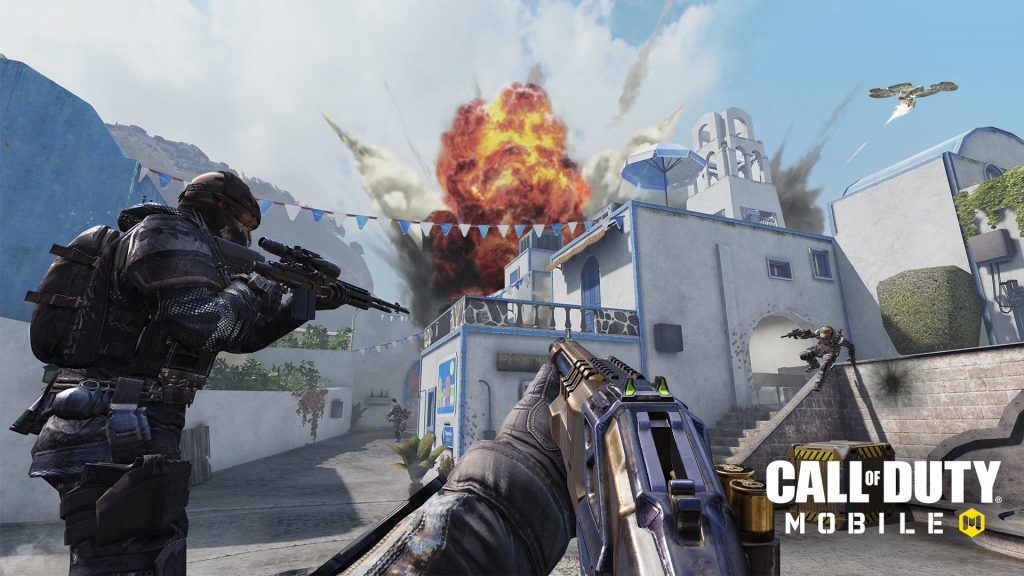
QQ9 is one of the best weapons you will find in the COD mobile especially if you prefer firing multiple shots with increased ADS speed. The weapon is automatic in nature and will help you catch your enemy off-guard.
Hence. Allowing you to achieve exceptional accuracy and deadly results. All the features of QQ9 are discussed in detail in this article along with its loadout attachments, loadout styles, and weapon skins available around the market.
(Image Credit By Activision)
QQ9 Overview
QQ9 belongs to the submachine category of the weapons available in the Call of Duty mobile version and features a completely automatic functionality. The weapon features a relatively high damage rate and is perfect if you want to achieve an upper hand over the enemy. Furthermore, it is also highly accurate and is associated with a fast firing rate, and is highly recommended for intermittent combat.
QQ9 Stats – Damage, Fire Rate, Accuracy, Mobility, Range
QQ9
Stats
Damage:
25
Fire Rate:
83
Accuracy:
40
Mobility:
102
Range:
42
Controls:
42
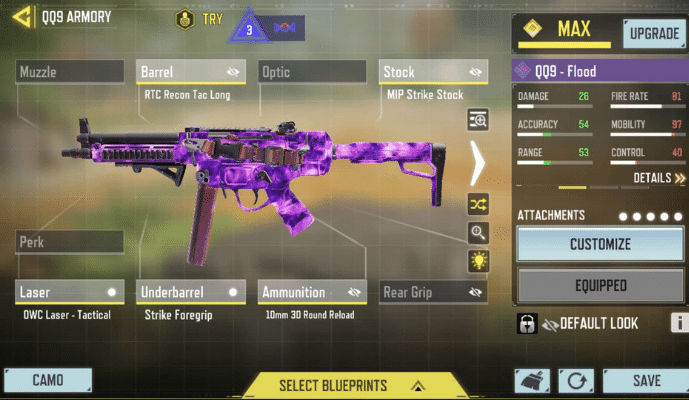
Best Attachments for QQ9
Some highly recommended attachments for the specified weapon in COD mobile include.
Barrel: RTC Recon Tac Long
Stock: MIP Strike Stock
Laser: OWC LaseR Tactical
Underbarrel: Strike Foregrip
Ammunition: 10mm 30 Round Reload
Best Loadout Styles for QQ9
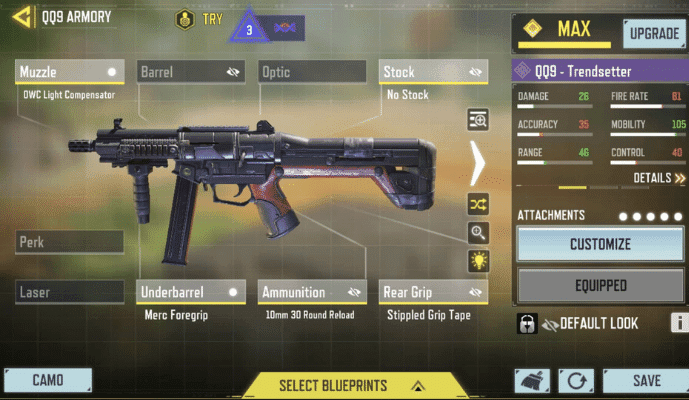
Aggressive Loadout
Aggressive loadout for this submachine gun is highly recommended for close-range combat and helps you in achieving fast ADS speed, improved movement speed, and relatively higher firing accuracy. In addition to this, using the aggressive style will also help you in controlling the recoil. Some highly recommended attachments for Q99 aggressive load out include;
Muzzle: OWC Light Compensator
Stock: No Stock
Ammunition: 10mm 30 Round Reload
Underbarrel: Merc Foregrip
Rear Grip: Stippled Grip Tape
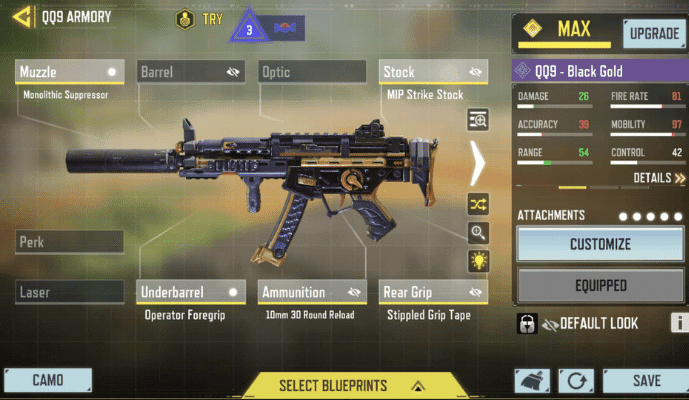
Stealth Loadout
The stealth load comes with different attachments as that of the aggressive loadout and helps you in eliminating the sound that might be generated because of the gunfire. This helps you in tackling your enemy by surprise, without compromising the ADS speed. Furthermore, using the specialized attachments will also help you in achieving good recoil, especially during intermittent combat. The attachments recommended for this loadout include;
Barrel: Monolithic Integral Suppressor
Stock: MIP Strike Stock
Underbarrel: Operator Foregrip
Ammunition: 10m 30 Round Reload
Rear Grip: Stippled Grip Tape
FAQ’s
Is QQ9 a good gun?
In COD Mobile, the QQ9 gun is one of the most popular weapons. The weapon is also capable of significant damage, has a high degree of accuracy, and produces moderate recoil in addition to its considerable damage capabilities.
Final Thoughts
The QQ9 is one of the deadliest weapons available in the COD mobile and possesses automatic functionality. This means that the submachine weapon can be operated automatically and can be used to fire multiple shots, hence, achieving an upper hand over your enemy.
Furthermore, it is characterized by a fast fire rate, and Fast ADS, which are one of its outstanding attributes and make it superior to other weapons in the game.
QQ9 Skins – Price, & How To Get
Weapon skins are highly essential as they not only improve the overall outlook of the weapon but also offer additional benefits during the game. Some of the recommended weapon skins for the QQ9 weapon in COD mobile included:
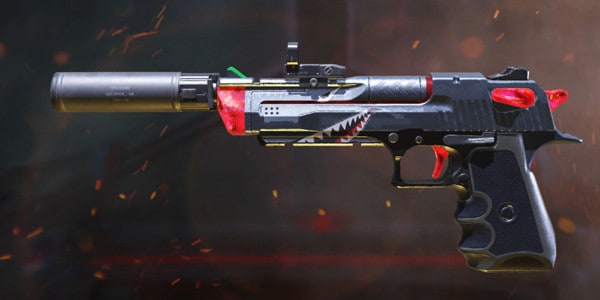
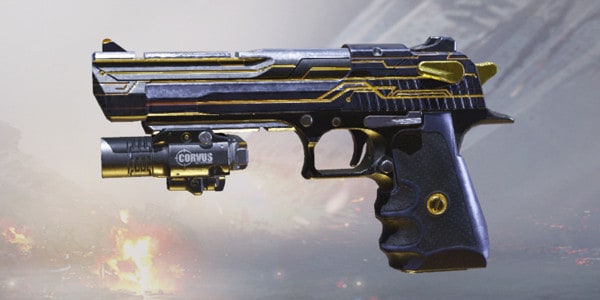
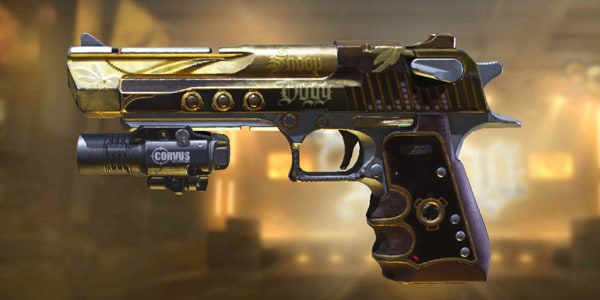
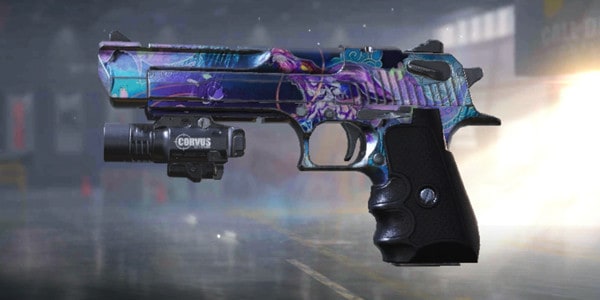
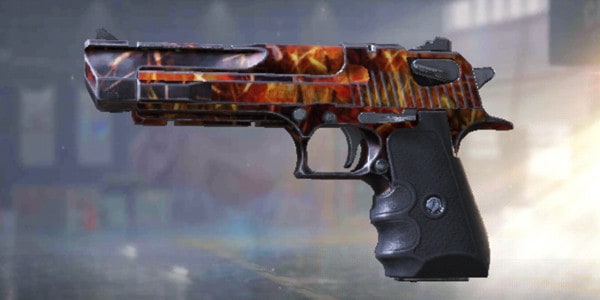
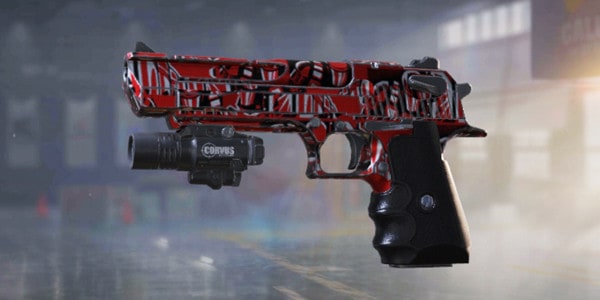
The Golden Decree, Melting Point, Black Gold, Flood, Trendsetter, Neon Grunge, Sigrun, Cyclone, Dune Fire, and Moonlight. Moreover, these skins are extremely rare and can only be unlocked during certain instances in the game.
QQ9 – Golden Decree
Rarity: Epic
How to get: Unlock this skin in Chaos and Order Mythic Drop.
QQ9 – Melting Point
Rarity: Legendry
How to get: Unlock this skin in Melting Point Draw.
QQ9 – Black Gold
Rarity: Epic
How to get: Unlock this skin S12 Battle Pass.
QQ9 – Flood
Rarity: Epic
How to get: Unlock this skin S7 Battle Pass .
QQ9 – Trendsetter
Rarity: Epic
How to get: Unlock this Skin in S9 Battle Pass.
QQ9 – Neon Grunge
Rarity: Epic
How to get: Unlock this Skin in S11 Battle Pass.
QQ9 – Sigrun
Rarity: Legendary
How to get: Unlock this skin in Fallen Valkyrie Draw.
QQ9 – Cyclone
Rarity: Epic
How to get: Unlock this skin in Heavy Storm Crate.
QQ9 – Dune Fire
Rarity: Epic
How to get: Unlock this skin in Cloaked Huntsman Crate.
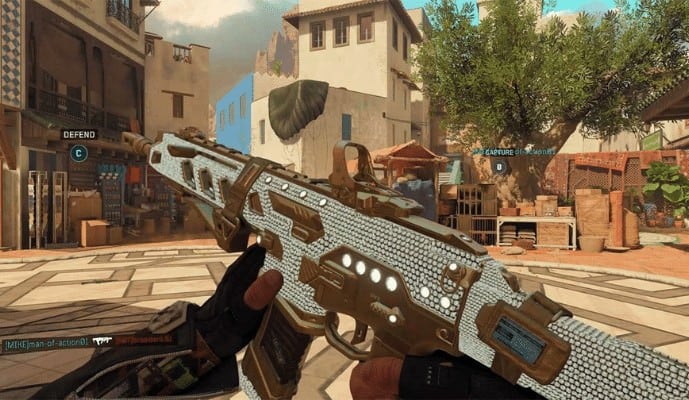
Attaining camo has always been the most desired activity in COD especially if it is the Diamond version. This is because not only is it the rare skin available in the game but also the hardest to obtain. The majority of the players are unable to get their hand on the skin and are often left disappointed.
On top of that, you need to pass through the challenges faced in achieving the Gold, Platinum, and Damascus camo before being eligible for the diamond one. In this article, I have explained how to unlock Diamond camo COD mobile, alongside methods for getting Gold, Platinum, and Damascus camo.
How to Get Diamond Camo in COD Mobile?
What is Camo?
Camo is one of the rare and highly desired skins in the Call of Duty mobile version. The skin is available in multiple options such as diamond camo skin, gold, Platinum, and Damascus Camo skin, etc., and is relatively difficult to acquire as compared to other skins that are available inside the game.
Unlocking Diamond Camo in COD Mobile
As mentioned earlier attaining the diamond camo skin can be nerve-wracking and might require a lot of effort and time. In order to successfully attain the skin, you need to get around 10 kills without being defeated and you have to achieve this goal continuously in 150 matches in order to get hold of the skin. Now, this is extremely hard to achieve and therefore, the majority of the players of COD mobile are often unsuccessful in achieving this first-class skin.
Unlocking Diamond Camo in COD Mobile 10x Faster
Many of you asked: Which is the fastest way to unlock diamond camo?
In order to unlock Diamond Camo, you must first unlock Gold for the specific gun. As you can see, you need to kill 10 enemies 150 times per match in order to unlock the diamond camo of the specific weapon, so the fastest way to complete a match is to play free for all shipments. You can see it here.
When you’ve killed ten enemies, you’ll be able to use your Operator skills to finish the match quickly. You can see that the match was completed within one minute, so that’s the fastest method for unlocking Diamond Camo.
How to Unlock Damascus Camo in COD Mobile
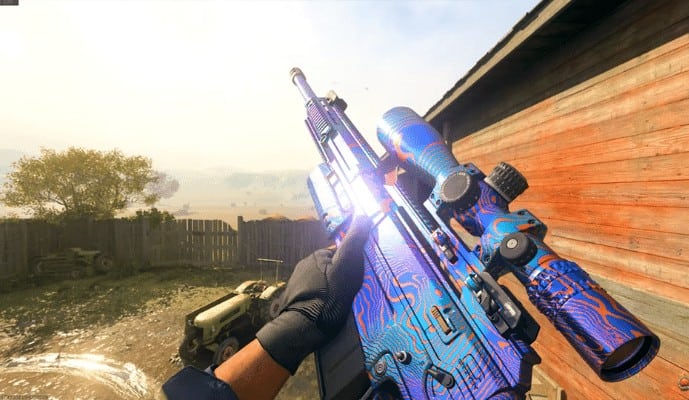
The Damascus camo skin is directly linked with the gold camo and therefore, it can only be unlocked once you have unlocked the gold camo. You can use the Damascus camo skin with all types of weapons and it is relatively easier to unlock than the diamond camo.
It should be unlocked for different categories and the task assigned for each weapon in each category is different. Below I have included a table indicating the tasks required to be fulfilled using each weapon in the sand category to unlock Damascus camo skin.
Assault Rifles: Kill 600 enemies
Sub Machine Guns: Kill 400 enemies
Sniper Rifles: Kill 600 enemies.
Light Machine Guns: Kill 400 enemies
Shotguns: Kill 300 enemies
Marksman: Kill 350 enemies
Pistols: Kill 200 enemies
Launchers: Kill 50 enemies and 50 scorestreaks
Melee weapons: Kill up to 50 enemies
How to Unlock Platinum Camo in COD Mobile
Now achieving the platinum camo for your weapons in Call of Duty is the second difficult task after achieving the diamond Camo. This can be obtained after you have unlocked the Gold Camo for all the weapons in different categories such as sand, tiger, etc.
This means that if you have achieved a gold skin for an assault rifle, it will lead you to unlock the platinum skin and you will be assigned a different task for each weapon in each category as mentioned earlier in the case of the Damascus. You can learn about the requirement to unlock after clicking on each weapon once you have obtained the gold skin.
Unlocking Gold Camo in Cod Mobile
The gold camo in the Call of Duty mobile version can be unlocked by unlocking all the camos in nine weapon categories that are available in the game. Unlocking the gold camo is also relatively hard similar to the diamond camo and you need to unlock all the nine weapons in different categories. Now the categories include sand, tiger, dragon, splinter, jungle, reptile, and completionist.
FAQ’s
Do you need gold camo to unlock the Diamond cod mobile?
Yes, the game is designed on a step-by-step basis, and therefore, to unlock the rare skins on higher levels you first need to unlock the lower level skins.
So, in order to be eligible for obtaining the Diamond camo, you first need to unlock the Gold, followed by the Platinum, and then the Damascus camo.
Final Thoughts
Unlocking the rare Diamond skin is the hardest task in the Call of Duty mobile version and can only be achieved once you have successfully unlocked the Gold, Platinum, and Damascus camo.
Furthermore, you also need to achieve 10 kills in each match for a total of 150 matches in order to get your hand on the most desired camouflage available in the COD.
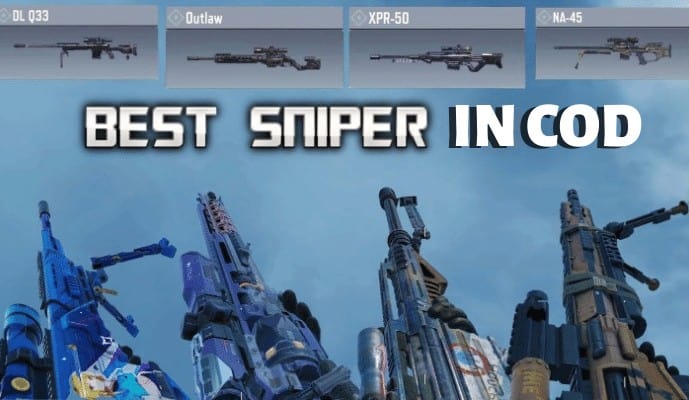
Ever since I started playing Call of Duty, it been a dream to review the famous sniper rifles and share my views on these weapons. I personally love using Outlaw and SVD because of their fast firing rate and deadly damage.
However, recently I have come across the DL Q33 and have been left impressed by this weapon. Thus, I decided to develop my list of the best sniper in COD mobile along with their loadout attachments and firing sensitivity.
Best Sniper In COD Mobile
1. SVD – Best Sniper in Cod Mobile
The SVD is relatively faster than the majority of the other sniper rifles available in the Call of Duty mobile version. One of the best features of this weapon is its ability to take out multiple shots at a time without taking many breaks in between.
This is highly useful as it does not give the chance to your enemy to counter-attack and offers you a competitive edge. In addition to this, it also reduces the general time required for attack when compared with other rifles or machine guns in the game.
Best Attachments For SVD
The best attachments for Dragunov Sniper Rifle famously known as the SVD include the:
Monolithic Suppressor
RTC 510mm Light
RTC Steady Stock
OWC Laser Tactical
15 Round Extended Mag
All these weapons will not only improve its damage range but also enable you to achieve excellent accuracy and improved speed.
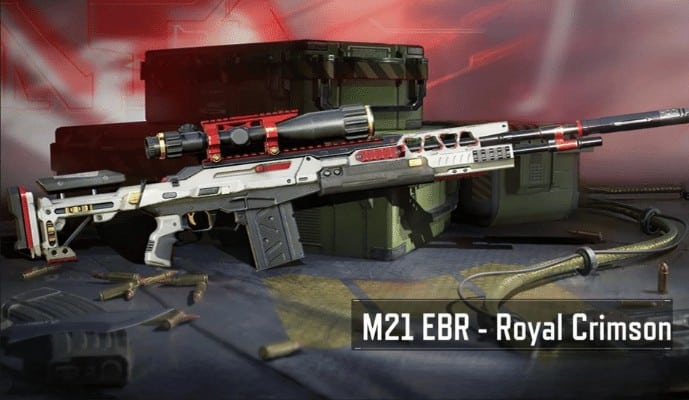
2. M21 EBR
M21 EBR also has an advantage over its other counterparts in terms of the shooting rate as well as the accuracy. This weapon also features a relatively fast fire rate and therefore, can be used to hurt the enemy greatly by firing in multiple successions.
However, in terms of damage, this particular sniper lags behind others and has a relatively low damage rate. But it is highly recommended if you are not particularly concerned about the damage and want to lure your enemy into a trap as it allows for fast-speed movement.
Best Attachments for M21 EBR
The Best attachments for M21 EBR are as follows;
OWC Light Suppressor
6X Tactical Scope B
YKM Light Stock
Operator Foregrip
OWC Laser Tactical
All of these attachments help in improving the overall accuracy as well as the firing rate of the weapon.
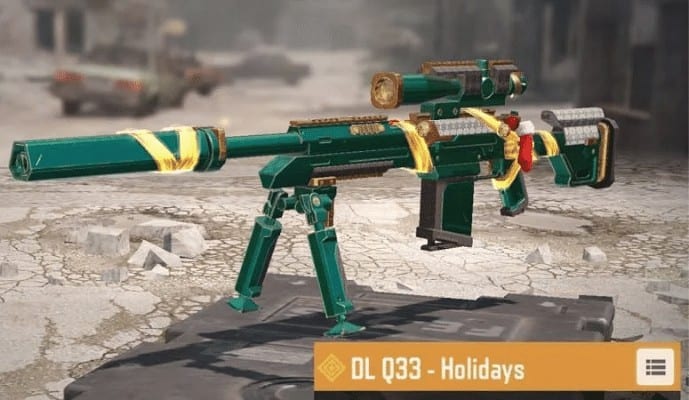
DL Q33 belongs to the category of the S-tier sniper rifles and is definitely the top sniper in Call of Duty mobile. The weapon comes with exceptional accuracy and a consistent damage rating across a great distance. Furthermore, it also possesses a decent fire rate and is one of the outstanding bolt-action rifles.
Best Attachment for DL Q33
If you are searching for the best loadout for the DL Q33, then I recommend going for the following;
MIP Light Barrel
YKM Combat Stock
OWC Laser Tactical
Sleight of Hand
Extended Mag A.
Using these will help you achieve high accuracy with exceptional damage output.
4. Arctic.50
The Arctic is another outstanding weapon in the Call of Duty mobile and is often referred to as the king of sniper rifles in the battle royale. The weapon is highly recommended for single-player mode and has a fire rate of 31. Moreover, it also features relatively high damage ratings and long-distance accuracy.
Best Attachments For Arctic.50
Some recommended attachments for Arctic.50 include:
6x Tactical Scope C
RTC Stead Stock
Bipod (under-barrel)
MID Stopping Power Reload
Stippled Grip Tape
Setting up these attachments with the weapon will help in increasing the damage, range, accuracy, and fire rate.
Next up on the list is the Locus which is often characterized as the all-rounder sniper that you will find in the COD mobile version.
In general, this sniper does not stand at the top in any category when viewed or assessed individually, but, on a whole, it is an all-rounder and displays significant participation in different categories, which sets it apart from its other competitors.
Best Attachments For Locus
The best attachments for Locus include the;
YKM Lightweight Short
OWC Skeleton
OWC Tactical
Stippled Grip Tape
Stopping Power Reload
These attachments feature relatively higher damage ratings and can be used for long-distance combat.
6. Outlaw – Fastest Sniper Rifle in COD
Similar to the DL Q33, the outlaw also belongs to the category of S-Tier snipers in the COD mobile. Now the best feature of this sniper rifle is its relatively fast nature, which makes it the top sniper in the mobile version of COD. Unlike ordinary snipers, you will observe that this version features the fastest ADS and movement speed.
Bes Attachments For Outlaw
The best loadout for outlaws in the COD Mobile include;
MIP Memorial Cowboy
YKM Combat Stock
FMJ Perk
OWC Laser Tactical
Stippled Grip Tape
Since the outlaw is characterized by increased movement speed, you will not have any issues shooting your enemy with utmost accuracy even when you are running.
How to Become a Good Sniper in COD Mobile – Tips and Sensitivity
For becoming a good sniper in COD mobile you should carefully look at the firing and camera sensitivity settings to achieve the best results and high accuracy. The settings for camera sensitivity and firing sensitivity in the Call of Duty Mobile version are as follows.
Camera Sensitivity
Standard: 61
ADS: 53
Tactical Scope: 47
Sniper Scope: 47
3x/4x/6x/8x Tactical Scope: 47
Firing Sensitivity
Standard: 61
ADS: 53
Tactical Scope: 47
Sniper Scope: 47
3x/4x/6x/8x Tactical Scope: 47
Frequently Asked Questions
What is the best sniper in call of duty mobile?
SVD is considered the best one of the weapons available in call of duty mobile. This is because of its high damage ratings, fast fire rate, and exceptional accuracy, which makes it stand out among others and all enable you to take an advantage over your enemy by firing out multiple shots.
What is the fastest sniper in COD Mobile?
The outlaw sniper rifle is considered the fastest sniper in the COD mobile and displays outstanding firing rate and movement speed. Additionally, it is also characterized by the fastest ADS and is a perfect option if you prefer killing your enemies while moving on the map.
Final Thoughts
Call of Duty Mobile has launched various outstanding snipers in the past few years all of which offer tough competition to each other in terms of fire rate, movement speed, and ADS.
This article has reviewed the six of these sniper rifles in terms of their ADS speed, fire rate, and damage ratings along with the best loadout attachments for them.
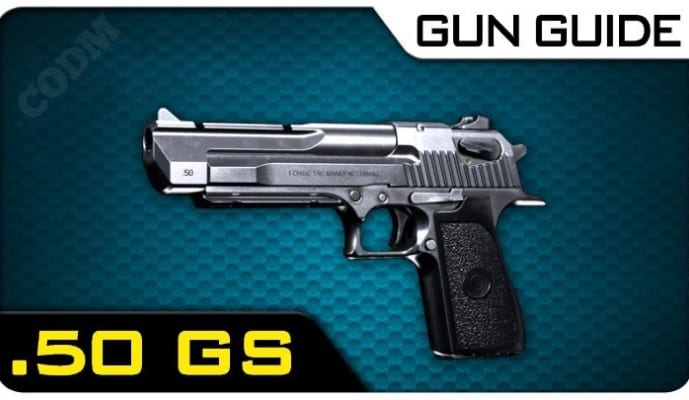
.50gs also known as “The Desert Eagle” is a viable and powerful handgun with low coil stats and high mobility. This semi-automatic gun can deal with heavy damage up to midranges due to its outstanding accuracy. The handgun has a manual safety switch on the slide and a single action hammer for firing. The safety switch rotates a drum mechanism lying over the firing pin, causing the firing pin to get locked in place which stops the pistol from accidentally firing.
The Desert Eagle features a gas-operated ejection/chambering mechanism that is typically found in rifles, instead of the short recoil or backfires designs often found in semi-automatic pistols. Gasses from a fired bullet exit the barrel through a little hole in front of the chamber. These proceed forward through a little tube beneath the barrel and into a cylinder beneath the barrel’s front.
The .50gs has a detachable magazine. There are 7 rounds in Desert Eagle’s magazine. The barrel of the Desert Eagle has polygonal rifling. The main functions of the pistol are hunting, firing at silhouettes and target shooting.
How to Get .50gs in Call Of Duty Mobile?
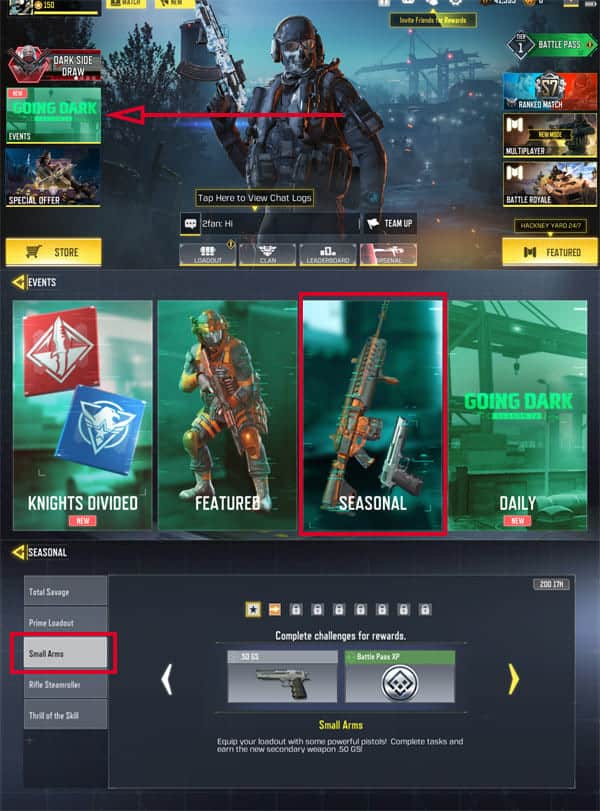
Players must have to complete 7 levels of the “Small Arms” challenge in order to unlock the .50 GS in COD mobile . Then, tap the “Going Dark” tab on the right side of the game window, then press the “Seasonal” option. After this, the player will be able to use the Small Arms Seasonal Event tab to view seven challenges that need to be completed.
These challenges include killing 5 competitors with the Melee attacks in the first mission. Destroy ten opponents using handguns in MP battles. Secondly, destroy ten opponents using handguns in MP battles. In the third mission, you have to execute 10 opponents with the Quick Fix perk. After this, destroy 20 rivals equipped with laser-attached J385 in any MP match.
In the fifth challenge, eliminate 20 foes in MP matches having J258 armed with 3 attachments. Collet 3 Backstabber medal in the next task. Lastly, headshot 20 enemies with any of the pistols. After going through all these missions, the player will be able to unlock the .50 handgun.
.50 GS Stats
.50 GS
Stats
Damage:
76
Fire Rate:
33
Accuracy:
88
Mobility:
87
Range:
50
Controls:
68
The Best .50 Gunsmith Loadout
If you have the appropriate attachments, playing with the .50 GS pistol is a blast. There are numerous attachments you may add to the new secondary weapon with the Gunsmith including:
Match Grade Trigger
Stippled Grip Tape
OWC Marksman,
RTC Light Muzzle Brake
extended mag A.
As an alternative, you might try a long-range shot. 50 GS loadout with:
Granulated Grip Tape
lightweight trigger
Tactical OWC laser
OWC Marksman
classic red dot sight
FAQs
What is the easiest way to get .50 Gs in Call of Duty Mobile?
After the seventh step of the “Small Arms” challenge, the potent handgun is made available. In addition to this challenge, there will be avatars, cosmetics, and XP up for grabs during this event.
What is GS in COD?
GS stands for Gunsmith. This is the feature in CODM that allows the players to customize their weapons the way they wish.
Conclusion
The world’s most great game, Call of Duty Mobile, is always eager to provide more updates that boost gamers’ interest. Before the beginning of each new season, updates are posted on the application store. It attracts both existing players and new players to the game.
The 0.50 GS pistol is the most viable and powerful handgun in CODM. If you have complete control over the 0.50 GS gun, you have a good chance of winning the game. The firearm is excellent for its class. You can easily learn how to get it and its features by reading the above manual.
.50 GS Skins – Rarity, & How To Get them?
Here I have listed the top 15 .50 GS skins along with their rarity and the method to earn them:
.50 GS – Mine Burst
Rarity: Epic
How to get it : You can get this skin in Bolted Steel in Fire Raid Draw.
.50 GS – Meteoric
Rarity: Epic
How to get it: You can get this skin in Dominion Mythic Drop.
.50 GS – Great White
Rarity: Rare
How to get it: You can get this skin in Deep Oweller Crate.
.50 GS – Killer Whale
Rarity: Rare
How to get it: You can get this skin in the Deep Sea Hunter Bundle.
.50 GS – Malpractice
Rarity: Epic
How to get it: Unlock this skin in Medieval Malpractice Draw.
.50 GS – Iced Out
Rarity: Epic
How to get it: You can get this skin in Doggfather Draw
.50 GS – Blossom Breath
Rarity: Epic
How to get it: You can get this skin in Dragon Jackal Lucky Box
.50 GS – Grass Fire
Rarity: Uncommon
How to get it: You can get this skin in Undead Raider Crate.
.50 GS – Shield Breaker
Rarity: Epic
How to get it: You can get this skin in Above the Law Crate.
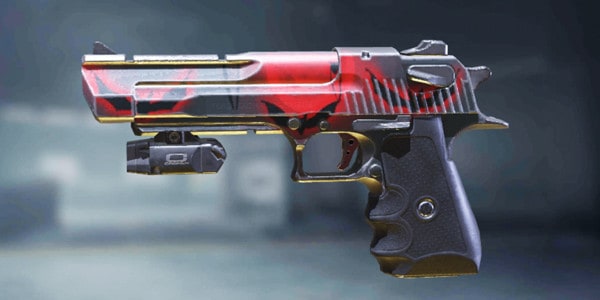
.50 GS – Bats Reunion
Rarity: Epic
How to get it: You can get this skin in the Sanguine Survival Crate.
QQ short form of an instant messaging and web portal application called Tencent QQ was developed by one of the tech giants in China named Tencent. It is not just a usual messaging application like WhatsApp or a social networking site like Facebook. It offers microblogging, voice and group chats, shopping, music, and online games.
In fact, according to Alexa, QQ is the fifth most visited website. QQ was first launched in China, where it faced some copyright issues due to its name which was earlier OICQ. The ICQ owned company AOL. The reason for such a name for it was based on ICQ. However, the name later was changed to QQ which means cute ^_^. QQ registration is one of the easier tasks, but it can be tricky for many users.
Being in China, it can be hard for people to play games like PubG without registering to QQ. Signing up for QQ is your pass to not only an instant connection with your friends and family but also a doorway to much more including exclusive games and music. I know you might have a lot of questions, and I am here to answer all of them! Make sure you play COD Mobile Chinese.
QQ Register- International and China Users
Earlier QQ had options for signing up. These include, international QQ account and Usual QQ account for Chinese users. However, now the users can only register a QQ account in China, as QQ international has been disabled. It does not mean that users cannot register for QQ accounts, it’s just that you no longer have the option of QQ international.
You can still view the QQ download button as the international user on the official Tencent website, but that button does not work for a location other than China. Also, you can no longer view the application on Play store and Appstore. Even if you find the application and view the download button, you can simply not download the application.
But hey will it stop you from getting a QQ account? No! I am here to get this application on your phone, no matter what.
[ads]
How to Register QQ by Email?
The answer to this simple question is No. You cannot register to a QQ account using Email or even Facebook log in. Since there is no QQ international application, and Facebook is banned in China, the user needs to register QQ through a mobile phone number. The phone number is not an issue, as everyone nowadays has a phone number, and the overall process is pretty much straightforward.
Do I Need to Have a Chinese Phone Number for QQ Registration?
Although QQ has discontinued QQ international the users can still use QQ. Also, you don’t need to have a Chinese number, any international number works. However, there is one issue.
The QQ application is a Chinese version and there is no way the user can translate the application into English. However, the website is in English, so it’s better to sign up from the website. I know it might be frustrating to not be able to use the QQ application, but you can still sign in from the browser installed on your phone. As wise always say when there is a will, there is a way.
[ads]
How to Register QQ Account 2022?
QQ account registration in 2022 is a simple process. Just like the recipe for the easiest Kimchi, you just need 2 main things to do so:
Active mobile phone number.
Good speed internet connection.
To register QQ account internationally follow the steps give below:
First, go to the QQ website using the given link https://ssl.zc.qq.com/v3/index-en.html. You can also download the application on your phone but it’s in Chinese. If you know Chinese, then go for it, if you don’t then sign up via a website is the easier way.
On the official website, now add your nickname, password, and obviously your phone number. It is important to note that the nickname will be your username which you should always remember. You can save it in a document or a notebook to check it later whenever needed.
Once you enter the phone number you will be prompted by an option to send a code. Click the send code option and you will receive a code on your phone.
Enter the code in the code-field in the sign-up window and click Sign up.
Note: Once you sign-up on QQ you have to sign-in the application in three days, otherwise your account will be disabled, and you have to do the whole process again.
[ads]
Also, sometimes the site shows “Sorry, the server is busy, please try again later”. This error is not caused due to QQ registration not working or issues with the server. It is caused when you have turned on your VPN or the mobile number is not correct.
QQ Registration Failed Issue
Many users have complained that despite their constant efforts, they are unable to register QQ. I know, I know this can be very frustrating.
You have probably done everything, and you are still facing the issue stating,
“Your mobile phone number may have security risks tested by our system. Please change a new mobile phone number to register a QQ account.”
The reason for such an error is that QQ has considered you a spam user. QQ registration failed issues can be frustrating. I totally get it. And of course, when you register for the application for the very first time, this error can come as a huge negative blow on the mood.
Don’t worry, I have the perfect solution for you.
Go to your browser, and download another browser called Tor browser. You can use this link to download it, https://www.torproject.org/download/.
Once you download it, follow the QQ registration process from Tor browser. Tor browsers help to bypass this issue, which on other browsers creates constant issues.
QQ registration without phone number
Earlier it was easier to register a QQ account without a phone number. However, with more security checks in place, and constant complaints from the user side, you cannot simply bypass the QQ registration without a phone number. You can attempt using a fake number but now it does not work and, in some cases, if your luck might have it, you can register to the QQ account.
[ads]
Although I don’t recommend it and have not tested it personally, some users succeeded in registering on QQ using a fake number using a Tor browser. It worked for some time and it took only a few days for the account to be banned by QQ.
How to Register QQ in Pakistan
QQ registration in Pakistan is similar to any international or even Chinese number. However, if you still want to have a guide that tells you exactly how you can register QQ account in Pakistan, here what you need to do:
First go to the QQ website using the given link https://ssl.zc.qq.com/v3/index-en.html. You can also download the application on your phone but it’s in Chinese. If you know Chinese, then go for it, if you don’t then signing up via a website is the easier way.
Note: Please do not try to register the account using a VPN as this might cause many issues later. It can lead your number into a spam account list. Also, even if you don’t end up in a spam account list, you can still face the server’s busy issue.
On the official website, now add your nickname, password, and obviously your phone number. It is important to note that the nickname will be your username which you should remember at all times. You can save it in a document or a notebook to check it later whenever needed.
Once you enter the phone number you will be prompted by an option to send a code. Click the send code option and you will receive a code on your phone.
Enter the code in the code-field in the sign-up window and click Sign up.
Now you are ready to use your QQ account, but make sure your VPN or any other proxy settings are turned off while trying to sign in. At least sign in once after you sign up for the account as if you don’t do it for three days, your account will be closed. You will need to follow the whole process again.
[ads]
How to change QQ password? (For Mobile Application )
To reset the password for QQ registration follow these steps. As compared to the usual password reset option available on different sites, this can be pretty lengthy. However, it is great to know that QQ respects user privacy and ensures that the intruder is not trying to reset the password of any user. Here is what you need to do reset password on QQ application:
Launch the QQ application on your smartphone.
Click the question mark icon in the password field.
Select Forgot password.
Enter your mobile number to get the code.
Enter the code in the field, which will take you to the QQ password reset window.
Enter the new password, enter it again for confirmation.
Click Save to complete the process.
Note: If you don’t know Chinese try logging in from the browser and then follow the process for QQ password reset on the browser.
Browser QQ Password Reset
The process on the browser is also the same, and it will not take more than 5 minutes to do so.
Now you can select two options, using the security question option or by appealing a password change.
When you select the security question option you must enter the answer to the security question set in the authentication process.
However, for password appeal enter your phone number and get a code to complete the overall process.
How to Change QQ To English?
If you are using the QQ smartphone application, you cannot translate the QQ application into English. In fact, there is no option and of course, you cannot translate each and everything again and again.
To use QQ in English you can use their website version. Which is in fact easier to use and can be translated to English with a single click.
[ads]
What Does QQ Mean in Chinese
Although many might wonder if it is some technical term or jargon meaning security or internet protocols. You may also think of it as the term for abbreviations for the first few developers or idea generators of QQ. However, in reality QQ in Chinese means cute. The application is just named after the word cute. Given the features provided and the issues faced, seeing this application used around the world, QQ is actually cute and unique.
how to download QQ?
One of the many questions that users ask is how to download QQ? It is a fairly simple process. However, currently QQ application is only available in China, and international users can opt for the browser version. Here is what you need to do:
Got to the Play Store or App Store.
Search QQ chat and click the first one with the most downloads and official owner as Tencent. Since there are many clone apps as well, so make sure you don’t download the fake ones.
Click the download button to download the application, and you are good to go.
Fake Chinese Phone Number
Since you can use QQ from anywhere around the world, you don’t need a fake Chinese number for QQ. Even if you can get one, there are chances of it being detected and getting banned from future use.
[ads]
What is a QQ Email?
The QQ Email is just like gmail.com or yahoo.com, which you can use for getting emails from anywhere around the world. The QQ email is safe, and you can use it like any other email domain. You just need to sign for QQ email and use it in replacement to any other email id you use.
Wrap Up!
All in all, QQ is one of the best applications that can be used for chatting, music, gaming, and almost anything. It’s an all-in-one application that makes it easier for the users to not sign in into other applications for different purposes. Just ensure that you use a single phone number, and you are good to go.
WeChat is one of the most popular chat applications. In many countries where WhatsApp is banned or not commonly used, WeChat is the first preference of these people. As per the annual report of September 2019, let alone in China there were 1.1 billion users of WeChat.
Based on the population of China, which is 1.4 billion (2022 record), this is a high percentage of users. It’s an instant social networking application that gives users the power to communicate through not only text messages but also audio and video messages.
WeChat although might feel not the right alternative to WeChat but it has almost the same features as WhatsApp. In fact, many people are considering it as an alternative. Signing up for WeChat is easy and it won’t take much of your time. If you don’t know how to create a WeChat account, here is the complete guide for you.
How to Register for WeChat as a Non-Chinese Citizen
Creating a WeChat account is not a difficult task. Here is a guide: To create a WeChat account in 2024, follow these steps. Afterward, you can use WeChat for various tasks such as chatting with Chinese users, making payments, and accessing exclusive versions of PUBG and COD Mobile.
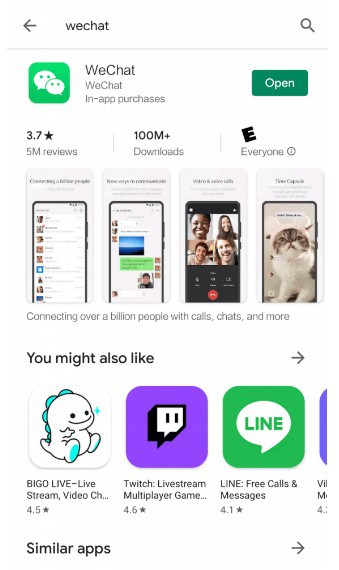
For Android users, the WeChat application can be easily found on the Play store, whereas for Apple iPhones you can easily get it from Appstore. Although you can use it on Mac or PC you need to register the application on your phone number, therefore you need to first download the application on your phone, and then use it.
Download the WeChat app from Apple AppStore or Google Play store
[ads]
Click Sign-up to install the application on your phone. You can either sign up using your phone no or your Facebook account.
Note: We suggest opting to sign up via mobile phone because even if you sign up using Facebook you must add your phone number in the end.
Since WeChat is very strict about the registration process, you must make sure you are using a private number.
Enter your name and a unique password to sign up for the application.
Check the button stating, “I have read and accept the terms and conditions mentioned above.”
Now verify the security. Security is very strict on WeChat. Usually, you need to drag the button to fit the puzzle into its place. This security ensures that any bot is not trying to access the application.
The process does not end here. You need to perform QR verification. China has strict policies; therefore, you need to verify your account from another WeChat account. It’s not necessary that the user needs to be your friend. Here is what you need to make sure to sign up on WeChat:
a. The international user must be 1 month old, whereas the China mainland user must be 6 months old on the WeChat application.
b. The user must not be blocked previously because of any reasons.
c. They must not have helped another friend for registering on the application for the past few months.
d. The WeChat Pay must be activated if the user is from mainland China.
After this process, enter the verification code for completing the process. Check your messages as the code is sent via SMS.
[ads]
How to create a WeChat account without a QR code
Who told you can’t have a WeChat account without a QR code? There are two ways you can opt for. You just need to be a little friend for the first way.
If you don’t have anyone around you for a QR code, just go to any nearby restaurant and ask the manager to do it for you but of course, you will buy some food.
The second option is to navigate on the WeChat website and select Register for a friend from the website. Once you do that you will not require to scan the QR code.
How to Create a WeChat Business Account?
Although WeChat is a social networking site/app, in the past few years it has been used for business and marketing purposes. Since China does not support other networking applications this is the best way the marketers can promote their business.
Although in other parts of the world, WeChat is just a social networking application, it is used for almost all purposes. You can even file a divorce through WeChat in China. Even the users can synchronize their other social media applications with WeChat for sharing their posts and statuses.
WeChat advertising, WeChat influencer marketing, mini-programs, and WeChat stores are four of the main options used by WeChat businesses. All these options are used by businesses in one way or another for promoting their business. Here is your guide for the WeChat business account. We have also presented a few tips that can be helpful.
You cannot download WeChat from an app store or play store, you need to navigate to the WeChat Official Accounts Platform. Click Register to get a business account.
Choose the account/subscription type for your business. There are two types of account subscription account and service account. Make sure to make the right decision as you cannot change it later.
a. Subscription Account: This is best for businesses that want to stick to WeChat for the primary promotion of their business. You will get the following features:
[ads]
Content is both searchable and shareable.
You can only post 1 broadcast message per month.
Also, only six articles can be published per month.
No support for custom tools.
Payments and push-notifications are not supported.
b. Service Account: The service accounts of WeChat allow the users to have been part of the WeChat store and mini programs. There is higher visibility as compared to the subscription account.
Content cannot be searched by the user.
You can only post 4 broadcast messages per month.
Also, only six articles can be published per month.
You can get access to custom tools of WeChat.
The payments will be only supported for the accounts that are verified.
You also get push notifications.
Now complete the form for basic information and wait for the account verification.
Now select the main location of your company. Ensure that you enter the location of your company and not your state location.
Enter the information related to your business in entity form. Here you need to add your business registration number and other sensitive details. This is a strict process, therefore, make sure you enter the correct information.
Complete your WeChat profile.
Even though your account will open now, you need to apply for verification.
For verification, you must submit Trademark Registration, Verification Letter, and various other documents that support the business authenticity.
Once completed, you can share your QR code with other people to join your business store on WeChat.
[ads]
How to Create a WeChat account on Android?
Most of the users use WeChat on their Android phones. They do use it on PC, but they prefer to use it on their Android Phone. Although verification on WeChat can be tricky if you have everything you need with the right identity. Now we can dive into how you can use WeChat on Android:
Download the WeChat app from the Google Play store
Click Sign-up on the WeChat sign-up screen.
Enter all your details including your name, password, region, and phone number.
Once you enter these details and click next, you must enter the verification code sent to you on your phone number. If you have entered the right number, you will get the code.
After entering the verification code, you are all set to message with your family and friends.
If you have signed out from the application, you just need to add your username and password for using the application.
For your account verification, for the non-Chinese business entities, the cost is around $99 per year. Given the business opportunities in China, this is a very small fee to pay. However, you can opt-out for verification, but we suggest you opt for it.
How to Create a WeChat Account Without Phone Number?
People will tell you it’s impossible to get a WeChat account without a phone number. But we always have away, even if you want to register an account from inside or outside China, this method works 100 percent. Now just follow these steps and get to use WeChat asap:
Assuming you have downloaded the application on your phone, click sign up.
Now enter all the details including your name, region, phone number, and password.
Click Enter and wait for the verification code.
Enter the verification code, and you are ready to use WeChat.
Now you can import the address book on WeChat if you want.
Open QR code to get contacts on WeChat.
Once done, click the phone-like icon, and click the option which is just three dots (…).
Select unlink the mobile number and voila you have created a WeChat account without the phone number.
[ads]
How to create a WeChat account using email
To create a WeChat Account from the email id, follow the steps below:
Once you find the application click the download button.
Click Sign-up to install the application on your phone. Click sign-up using email.
Since WeChat is very strict about the registration process, you must make sure you are using an email id that belongs to you and has not been shared with others.
Enter your name and a unique password to sign up for the application.
Check the button stating, “I have read and accepted the terms and conditions mentioned above.”
Now verify the security. Security is very strict on WeChat. Usually, you need to drag the button to fit the puzzle into its place. This security ensures that any bot is not trying to access the application.
The process does not end here. You need to perform QR verification. China has strict policies; therefore, you need to verify your account from another WeChat account. It’s not necessary that the user needs to be your friend. Here is what you need to make sure to sign up on WeChat:
a. The international user must be 1 month old, whereas the China mainland user must be 6 months old on the WeChat application.
b. The user must not be blocked previously because of any reasons.
c. They must not have helped another friend for registering on the application for the past few months.
[ads]
d. The WeChat Pay must be activated if the user is from mainland China.
After this process, enter the verification code for completing the process. Check your messages as the code is sent to you at your registered email address.
How to create a new WeChat account using the same number
A WeChat account can not be created with the same number. However, you just need to roll out some tricks from under your sleeves or you just need to continue reading. Just need to be a little quick in your action to do so. Get two phones and from one phone register the WeChat account. Once you have followed all the steps unlink your number and shut down that phone.
Now from another phone (try keeping 2 days gap to do so) follow the same process. Just enter that you have lost the previous phone or any other similar reason. Once done now you can use WeChat from the same number. However, we suggest not to do so because it’s not safe to do, especially if you are from Mainland China.
Conclusion
Overall, WeChat is a secure app to use. Unlike WhatsApp, it does not store and use the data of the users. However, the only thing they demand in return is that the user must use authentic information for their account registration and use. Also, the user must give QR registration to people whom they trust. Chins are strict in policies and you must make sure you do not go against these policies.
How to win Call Of Duty games Easy Findings as I explain the powerful Call of Duty tips is an excellent Call of Duty game. If you have an interest in playing it, you should have this tutorial. By the time you learn how to beat Call of Duty games, it will have been a great Call of Duty experience for you. That’s why I try to give you a lot of information that may help you in this case. I know that the thing that is a part of a game is a good memory for every Call Of Duty fan. In that way, I prefer to tell you what’s essential to get ahead in the game. Learn how to Win Games by making use of Call of Duty Games tips Recall your basics. I learned this from Robert Zimmerman when he said: “You win with numbers”.
How to get more experience points
Before we start to find tips, I would like to say that you need a lot of experience in the Call Of Duty MOBA. You might not be able to control all your heroes at the same time, so you must try to play with some heroes. And also, you must win against other players so they will get tired. I’m telling you, it’s very important. You must also try to play with heroes that are similar to the hero you usually play. So if you play Witch Doctor, you have to play him with a hero that is similar to Witch Doctor. Even though he is a hero that comes in a lot of use, because he is a melee hero, he has an advantage if you play him with a similar hero. Like if you play with a Warrior, he is weak against a Berserker that is strong against a Sorcerer.
How to create your clan
Pick an emblem and other items like clothing Set up a Private Match and have some people playing against you. Ammunition Using a mace All members Go to the kill-cam and see who got the kill. Have a nice hands shot and kill someone. Group eliminations Pick out a logo for your team. (if you are not a member) You can click on the download button from in the upper right corner and save a file to your PC Use a buggy How to set up your server for Private Match (Select “own server” in the menu. As the custom games start, choose the option “Share status with other players”. Choose “Enable”) Install and have all players on the same PC. Allow players to join you. Always turn off matchmaking. Have a friendly.com account.
Conclusion
Until now, I want to let you know that you are at the right place if you want to get a perfect edge in Call of Duty Mobile. The reason is quite simple: to be successful in any mobile game, you need to learn and master how to play it. We are very glad to welcome you to our website, as we are known for having the most advanced mobile tips and tricks to get ahead in the game. It has been already known that playing Call of Duty Mobile is not easy, but we can say the same thing about Call Of Duty Mobile Tips To Get Ahead In The Game. You need to play as hard as you can to achieve your dream of the next rank, to make the best of your abilities, and to get the best of your experience with Call Of Duty Mobile tips to get ahead in the game.
This article will be about how many call of duty games are there. There have been nine different versions since 2005, and each game has its own unique features that distinguish it from the rest. Call of Duty is an action-packed shooter video game series developed by Activision’s Infinity Ward studio with a new installment every year to keep up with modern style trends in gaming! It is also worth noting this does not include other companies like Trey arch, Sledgehammer Games, etc. who make their our titles for the COD franchise separately but under the same company umbrella i.e. Activision Blizzard.
List of all major Call of Duty games
1. Call Of Duty 1
In 2003, Call of Duty was released for Windows and consoles. The game became a success with 4.5 million copies sold within the first year which made it one of the best-selling games at that time.
[ads]
This passage is about when an initial release date & platforms occurred for ‘Call Of Duty.’ It also gives worldwide sales in addition to some information on Infinity Ward as well as their other projects before this video game series came out And mention how successful this franchise has become over the years.
2. call of duty 2
“Call of Duty 2” is a first-person shooter video game released by Activision. It was developed by Treyarch and published for the PC, PS3, Xbox 360 on November 11th, 2008; selling more than 5 million copies worldwide in its initial release.
3. Call Of Duty 3
Call Of Duty 3, the third installment in a series of games by Treyarch that takes place during World War II and includes various locations such as France, Germany, Russia & North Africa. The game was released worldwide on November 7th, 2006 for PS2/PS3/Xbox/Xbox 360 & Wii consoles where it sold an estimated seven point two million copies within its first week alone.
[ads]
4. Call of Duty 4 Modern Warfare
“Call of Duty 4: Modern Warfare was released on November 5th, 2007, and developed by Infinity Ward. It is available for multiple platforms including Microsoft Windows, OS X, PS3, and Xbox 360. By 2013 there were 15 million copies sold worldwide.”
5. Call Of Duty: World At War
“Call Of Duty: World At War” was released on November 11th, 2008. It was developed by Infinity Ward and sold over 15 million copies worldwide as of 2013.
The popular first-person shooter video game “Call Of Duty: World at War”, which has a player fighting in the Pacific theater during WWII against Imperial Japan, is one example of this type of genre within gaming culture. This specific installment brought back many elements from older games that players loved while innovating amazing new features to make it exciting for both old fans and newcomers alike!
6. Call of Duty Modern Warfare 2
On November 10th, 2009 Call of Duty: Modern Warfare 2 was released for Microsoft Windows, OS X and PlayStation 3. It is a first-person shooter game that sold over 25 million copies worldwide with its release date being the same as Call Of Duty 4: Modern Warfare’s (November 9th).
7. Call Of Duty: Black Ops
The video game Call Of Duty: Black Ops was released on November 9th, 2010. It’s available for multiple platforms including Microsoft Windows, OS X, and Xbox 360 as well as newbies Xbox One and Wii. The developer of this top-selling first-person shooter is Treyarch with Activision publishing it worldwide to rave reviews about its high-speed action-packed gameplay that will leave you wanting more! With over 30 million games sold, we can be sure there are plenty out in the market right now waiting for their next victim (err player) to join them online or offline…
[ads]
8. Call of Duty: Modern Warfare 3
Call of Duty: Modern Warfare 3 is the 8th installment in Activision’s Call of Duty series and was released in November 2011 for Microsoft Windows, OS X, PS3, Xbox 360 & Xbox One. The game sold over 30 million copies worldwide with Infinity Ward/Sledgehammer games developing it.”
9. Call of Duty: Black Ops II
Call of Duty: Black Ops II is a popular first-person shooter game that was released on November 13th, 2012. It’s available for multiple platforms including Microsoft Windows, Wii U, PS3, and Xbox 360. The developer is Treyarch and 29.5 million copies have been sold worldwide so far!
10. Call Of Duty: Ghosts
The most anticipated game of the year, Call Of Duty: Ghosts, was released on November 5th, 2013. The game’s developers Infinity Ward have stated that they will make this installment different from previous ones by adding new characters and settings. They also promise to deliver a better storyline as well as more customized player experiences in multiplayer mode.
11. Call of Duty: Advanced Warfare
The game “Call of Duty: Advanced Warfare” was released on November 4, 2014. The first-person shooter was developed by Sledgehammer Games and published under Activision’s label for the series. It is available on Microsoft Windows, PS3, PS4, Xbox 360, or Xbox One platforms with 21.7 million copies sold as of March 2015 worldwide making it one of the most popular video games to date along with other titles in its genre such as Grand Theft Auto V (GTA5).
[ads]
12. Call of Duty: Black Ops 3
The Call of Duty: Black Ops 3 game was released worldwide on November 6th, 2015. It is a first-person shooter video game by Treyarch and published by Activision for Microsoft Windows, PlayStation 3 (PS3), Playstation 4 (PS4) Xbox 360, and Xbox One. The series has sold over 100 million copies since its launch in 2003.
The popular first-person shooter video game from the franchise launched globally on November 6th to much anticipation with 26.7 million copies already preordered before release day; it’s also available across many different platforms including PC & console!
13.Call Of Duty: Infinite Warfare
If you’re a fan of first-person shooters, Call Of Duty: Infinite Warfare is going to be right up your alley. The game was released on November 4th and it’s available for Windows PC, Playstation4, and Xbox One. It has sold approximately 13 million copies worldwide since its release date with the most sales coming from PS4 players at 6 million units in comparison to 2.1 million Xbox One gamers who purchased their copy as well! If you haven’t played any previous games in the franchise then fear not because this one will fill all those epic shooter cravings that we may have been missing out on prior…
14. Call of Duty: WWII
If you love first-person shooter games, then Call of Duty: WWII is the game for you. With 19.8 million copies sold worldwide in just a little over four months since its release on November 3rd, 2017 and it’s available to play across multiple platforms including PC, Xbox One and PS4; this latest installment from Sledgehammer Games will be sure not to disappoint even those who are new to the franchise with exciting single-player missions as well as thrilling multiplayer modes that can keep gamers hooked onto their screens for hours at end!
[ads]
15.Call Of Duty: Black Ops 4
Call Of Duty: Black Ops 4 is a first-person shooter video game developed by Treyarch and published by Activision. It was released on November 12, 2018, for Microsoft Windows, PlayStation 4, and Xbox One—the same release date as Red Dead Redemption II. The sales of the title have exceeded 14 million copies worldwide with an estimated 823 billion hours logged in online matches across its three versions since launch; it has grossed over $500 million (USD) to become one of the best selling titles of all time within 72 hours upon releasing making it also one of top five highest revenue-generating games ever made at that point in time.
16. Call of Duty: Modern Warfare
“Call of Duty: Modern Warfare” is coming out on October 25, 2019 for PC and PlayStation 4/Xbox One. It was developed by Infinity Ward with sales in the US only being handled by Activision Publishing Inc.
17. Call of Duty Mobile
The popular COD franchise is making its way to mobile with a new game called Call of Duty Mobile. It will be released on October 1st for both Android and iOS platforms, developed by TiMi Studios who are the makers behind another famous free-to-play title named Clash Royale. This might become very interesting as it’s going to put two majorly successful brands against each other in an epic battle .
18. Call of Duty Black Ops Cold War
In 2020, Call of Duty Black Ops Cold War will be released on Microsoft Windows, PS4, Xbox One and more. The game was developed by Treyarch/Sledgehammer Games/Raven Software in collaboration with Activision for worldwide sales.
19. Call of Duty Warzone
Call of Duty Warzone, the newest installment in Activision’s popular first-person shooter series will be released on March 10th 2020 for Microsoft Windows, Playstation 4 and Xbox One. Developed by Infinity Ward as well as Raven Software this game is set to take place during a World War III scenario where players can choose from several different classes such as an infantry or special forces soldier with unique abilities that they must use to complete objectives given throughout each mission which are played out against dynamic battlefields. This title also features new weapons including battle rifles and shotguns along with modernized versions of classic Call Of Duty weaponry like sniper rifles while continuing traditional multiplayer modes like Team Deathmatch alongside brand new ones made especially for this entry into the franchise called Combat Zone.
[ads]
Final Thoughts
There have been nine different versions since 2005, and each game has its own unique features that distinguish it from the rest. Call of Duty is an action-packed shooter video game series with a variety of games to choose from depending on your interests. If you are thinking about purchasing one for yourself or someone else this holiday season, make sure to take a look at our guide below before making any decisions! Our team loves playing these addictive shooters so feel free to contact us.
Since the test server was published, COD Mobile Season 6 leaks have been aplenty. The game will receive a slew of additional features, including new levels, weaponry, score streaks, and Operator Skills.
What do we know about COD Mobile Season 6?
The big addition is the new Lock & Load mode. Lock & Load is a 4v4 team deathmatch that features a new map, which features two different entry points. You’ll need to keep a watchful eye out for traps, dogs, and fan cannons. These items will determine how things play out. The next major addition is the “Deathmatch Arena” mode. This takes the aforementioned Deathmatch Arena and adds a mode that lets players test their Gun Darts skills in a competitive format. Both modes allow you to play with your team. When will COD Mobile Season 6 be released? The test server was released in August 2018. It will be fully available to everyone in early November. That means Season 6 will launch around the same time as the Call of Duty: Black Ops 4: Blackout beta.
How will it affect gameplay?
The release of Season 6 will mean the end of the current 8-week test period. It is likely that some features will be extended beyond the current test period as the developers consider the feedback they have received. What can we expect? From the sounds of things, developers may be planning to make a number of changes. The upcoming features are likely to include: Levels First up, it is likely that players will start on the same map and have to complete a series of objectives to progress to the next level. In terms of gameplay, there may be a new Free Fire mode which is similar to the Kill Confirmed mode in COD: WWII. Score Streaks It is also quite possible that the developers may add more scorestreaks to the game.
What to expect in the future
With COD Mobile Season 6 already playable, leaks have been trickling in. This has made it difficult to get an accurate overview of what to expect in the next season. Hence, we at GizBot have put together a guide on what to expect from COD Mobile Season 6. Check it out below: New game mode There will be a new game mode introduced in the upcoming season that will allow the user to do all of the killings. The new model, named Rampage, is expected to be in the form of a 2.5D shooter. The mode seems to involve players racing their guns down a futuristic track. With the right weapon, you can blast down the opponent. There is also a chance that you can get knocked out while in the match. This will prevent you from participating in the game until you recover and start again.
Conclusion
At this point, it’s evident that Activision and Infinity Ward have been diligently working on the title. The inclusion of a new combat-only feature called the Spartan Abilities at the start of the test proved that the game was a success to the studio. Aside from a new tier of weapons and Operator Skills, the fact that the game is receiving four additional weapons is quite reassuring to players. The upcoming update is bound to serve as a solution to the much-debated issue of lag. For now, gamers can have a sneak peek at the changes that will be implemented in the mobile version of the game.