Author: Abdul

  • Call of Duty Mobile Tips and Tricks – (Win like a Pro

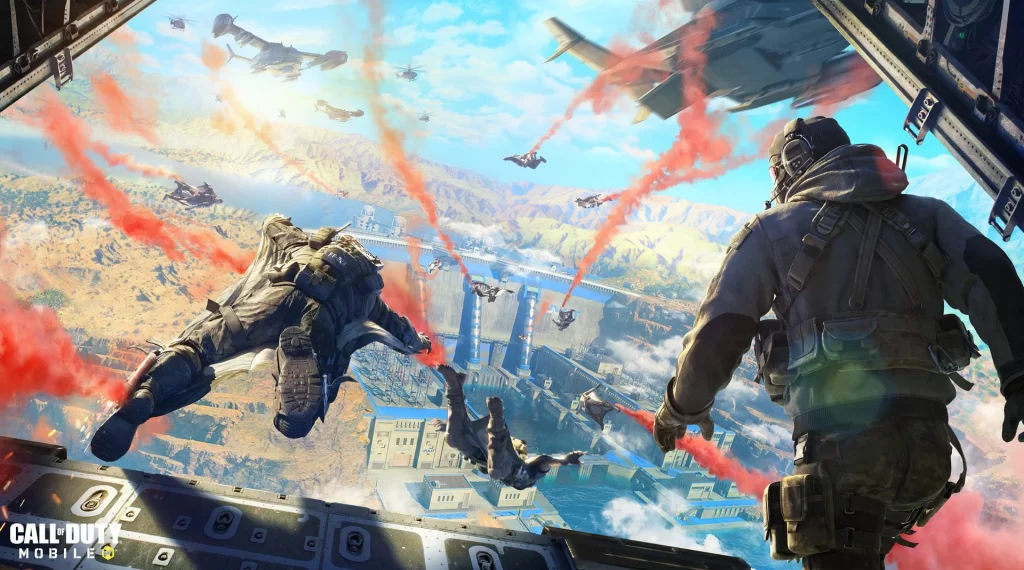
    Call of Duty Mobile is one of the most recent hits and is insanely famous among gamers worldwide. Call of Duty for mobile was released in October, and more than 100 million people downloaded the game across the globe within one week. The game is a real sensation for mobile gamers since it can be played in multiple modes, including Team Deathmatch, Domination, Search and rescue, and Battle Royale Mode.

    The mobile version of COD includes the same maps from the console version to make the game even more exciting. Additionally, the game is made quite different from the other games of the same genre by adding additional features. For instance, you can play the games in different modes and choose a class of your character. Here are some of the most useful call of duty mobile tips that will help you keep your enemy down and win the game.

    codm S11 2022
    image Credit: Call of Duty

    COD Mobile Tips & Tricks For Beginner

    1. Battle Royale Tips

    COD Mobile Battle Royale is the finest battle royale experience you can get on the mobile. Due to the addition of different options, exciting elements, and multiple modes, the games are getting even more popular. Here are the few tips and tricks to survive and Win Call of Duty Mobile Battle Royale Pro mode.

    2. Always land in the less dense areas on the map in the beginning

    Landing in a dense area seems exciting, but it decreases your chance of surviving. At the beginning of the game, you should look for a spot on the map with less population and few buildings. You will encounter only one or two enemies at such places and get more chances to gather ammunition and gear. It will help you strengthen your defense for the later stages of the game.

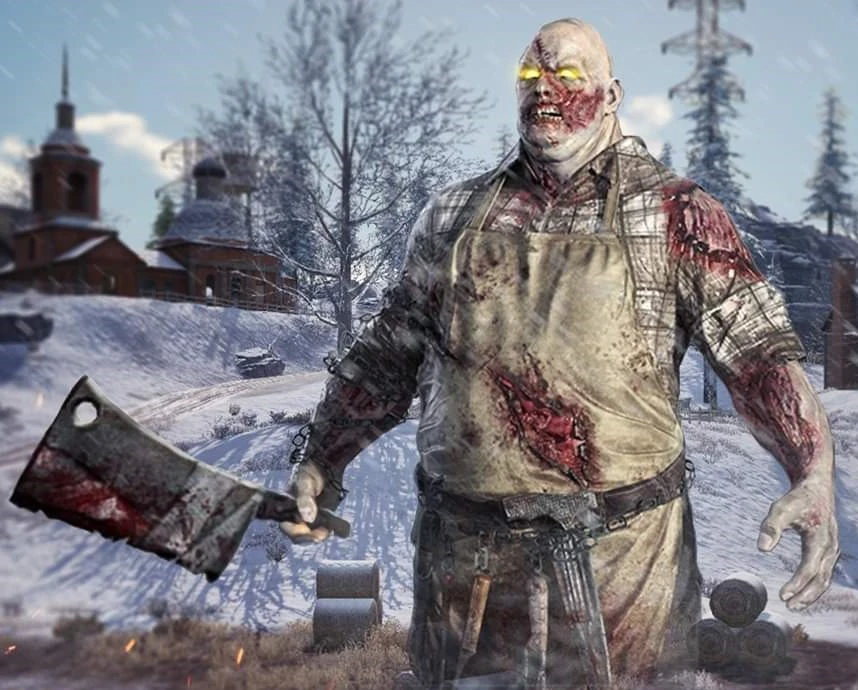
    3. Never mess with witty bosses if you don’t have enough power
    The_Butcher_CODM
    image Credit: Call of Duty

    Bosses are the uber-powered henchmen that appear as the red dots on the map. As you get closer to the markers or mess with them in any way, they will attack you. Although you can win a big reward like powerful ammunition and gear, it’s never been easy to take them down. You can only take them down if you have the strongest ammunition like Antelope A20 Assault Vehicle. If you want to survive until the game’s later stages, it is better not to mess with bosses.

    5. Closing Doors

    Door closing can be one of the best tricks you can use to deceive your enemy. In battle Royale, the doors of buildings are closed by default and are opened when someone enters to search. You can close the doors of the building after entering to make it appear like the building is not searched yet. Also, you should be careful while entering any building since anyone else can play this trick with you as well.

    6. Do hunting, not camping

    In COD mobile battle Royale mode, hunting is a more successful strategy than camping. When you keep on moving for hunting, it will become difficult for your enemy to hit the moving target.

    [ads]

    Also, in a big map like battle royale, there are more chances of survival and winning when you and your teammates keep attacking your enemies as a team. You will get instant help from your teammates to survive and attack. Also, if any of the team members gets killed, the nearby team member can collect the dog tags.

    7. Greed is a curse

    If you want to survive long or win the Battle Royale, don’t be greedy. Never rush to collect dog tags after killing the enemy or even when your own teammate is killed. Wait for the right time, and give a chance to the teammate, who is in a better position to collect the reward.

    8. Communicate with and gather around your team

    Although a bit difficult, gathering around a team is the key to success. This is the most difficult thing, in my opinion, to keep your teammates in the same area since many players come up with their own strategies. Since gathering around is not a possibility in every scenario; the next thing you can do is communicate. You can enable the microphone or hold to talk option to get in touch with your teammates.

    COD Mobile Aiming Tips

    1. Customize The UHD Control

    For accurate aiming, you can customize the UHD settings to increase your comfort level and better control the equipment. With a customized UHD layout, you will be able to handle the recoil more comfortably and easily control the scope and weapon while aiming.

    2. Practice Mode

    Call Of Duty Mobile offers two practice modes Training and Practice Vs. AIl. The difficulty of the modes is much lower than the actual COD mobile, but they are ideal for practicing aiming. You will learn how to manage scope, tackle the recoil, and aim correctly.

    [ads]

    3. Sensitivity Settings

    In Call of Duty mobile settings, you need to optimize the sensitivity to aim like a pro. Make sure you optimize the sensitivity in both Multiplayer and Battle Royale Mode. Here are videos explaining sensitivity settings.

    Call Of Duty Mobile Multiplayer Tips

    Call of duty multiplayer mode is another exciting mode. Here are a few tips and tricks to win and survive in this mode.

    1. Make Wise Weapon Choices

    Choose the weapon according to the maps you are entering. The choice of your loadout will determine your survival and success. For example, for a map like crossfire, the SMGs loadout will not work. For this kind of map, you will need long-range weapons to combat.

    2. Keep On Moving

    In COD Mobile multiplayer mode, you cannot hide. So what you can do is to keep on moving. It is quite difficult for your enemy to hit a moving target. All you need to do is to move safely along sideways while keeping your enemy in sight.

    3. Sprinting

    Sprinting is an option that lets you slide faster. The down button lets you slide while running to deceive your enemy. By pressing the forward controller, or dedicated sprint button, you can slide faster. There is an option “always sprint,” but if you are new to the game, I won’t recommend this option since this option can sometimes make you slide into your enemy.

    4. Upgrade The Weapons

    Upgrading weapons from time to time is critical to surviving and winning the Call of Duty Mobile Multiplayer modes. Use the collected rewards and weapon cards to upgrade your weapon so that you can fight back in the upgraded levels.

    5. Always Check The Corners

    Before entering any map, carefully check the corners since enemies can camp at any corner of the map.

    6. Don’t Hide From ScoreStraeks.

    Taking down an enemy’s scorestreak can change your defeat into victory. Hiding for the enemy’s scorestreak will not work in any way. Therefore you should always fight back to take down the Enemy’s Scorestreaks.

    7. Optimized Graphics Settings

    Optimized graphics settings are the most critical step to win a call of duty mobile multiplayer game. For example, if you use a device that supports low FPS, do not keep your graphic settings to UHD. The UHD graphics will give you the best viewing experience but will affect your gaming performance. If the graphics settings are not optimized, your taps will be registered slower and will negatively affect your gaming performance.

    8. Pre-Aim at Entry Locations

    Once you predict the enemy’s location, aim at the entry point of that location. The pre-aim at the entry point will help you take down the enemy before it starts shooting at you. Also, you should always keep the crosshair in the middle of the screen.

    9. Hole Tip In the Hijacked Mode

    This is one of my favorite call of duty mobile tips. When you are playing COD mobile in hijacked (boat) multiplier mode, you can find an easy way to escape. You should look for a cabin with a secret passage. It will take you from one end to the other. You can enter this passage through a hole in the boat floor.

    [ads]
    FAQs

    How do I contact the call of duty mobile?

    Activision is the publisher of Call of Duty Mobile, and you contact activation by phone on this number:

    +1 310 255 200.

    You can also report a bug in the feedback section of the game. To report a problem, open the settings, then open the support tab and click on the feedback tap. In the feedback tab, you will see an option “report a bug.” Click on this option and proceed to report a problem.

    What is the best weapon in Call of Duty mobile?

    Razorback, Holger 26, Shotgun KRM 262, MK2 Carbine Marksman rifle, and AS VAL are the best weapons in Call of Duty Mobile.

    Why is COD Mobile so easy?

    Call Of Duty Mobile is so easy at the early levels since the difficulty level is very low. You will encounter only AIl enemies, and it is quite easier to take them down. However, as the levels are upgraded, the difficulty level increases and you need to upgrade your strategies and weaponry.

    Conclusion

    Call of Duty Mobile is an exciting game, with multiple modes and so many options on the go. I’m hoping that my Call Of Duty Mobile Tips and Tricks will help you take down your enemy and win the game.
  • Rytec AMR Sniper in COD Mobile – (Weapon Guide)

    [ads]

    Call Of Duty Mobile is one of the most popular and highly rated mobile games. After its launch in October 2019, it has been on the list of some of the most-played games across the world. One of the reasons why it is so loved universally is because of the large variety of weapons you can access through it.

    Amongst all of the weapons, people usually find themselves drawn towards one particular gun, i.e., Rytec AMR. And since you are here, it means that you have seen it and want to know more about this powerful Sniper rifle.

    So, to put you out of your misery, I have decided to write a brief yet highly insightful article on this automatic sniper rifle that you can not seem to get enough of. In any case, I would highly recommend you all read through till the end so that you don’t miss out on any detail. With that being said, let’s get down to real business!

    [ads]

    Rytec AMR Weapon Overview

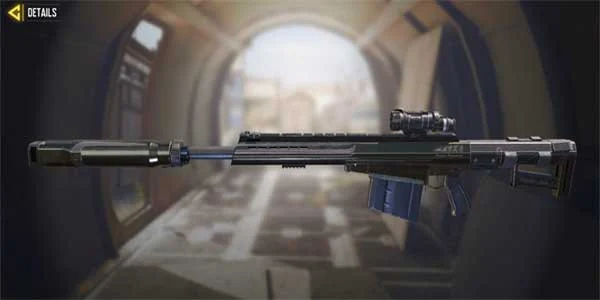
    Rytec AMR COD Mobile

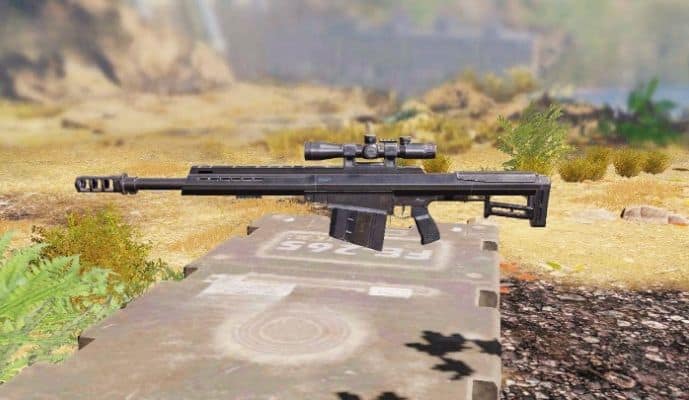
    Rytec AMR is undoubtedly one of the best sniper rifles in Call of Duty Mobile. It is a highly potent weapon that can take out the enemy with a single shot. However, you must be very careful with a Rytec AMR because you will have to shoot the target from the waist up.

    It means that if you shoot from the waist below, it will just be a waste of ammunition. Besides, it has a range of about forty meters. So, it is safe to say that a Rytec AMR is a very lethal weapon in this game.

    Rytec AMR Stats – Damage, Fire Rate, Accuracy, & Range

    Rytec AMRStats & Tier
    Damage:80
    Fire Rate:31
    Accuracy:62
    Mobility:24
    Range:90
    Controls:32
    [ads]

    Attachment Guide – The Best loadout for Rytec AMR

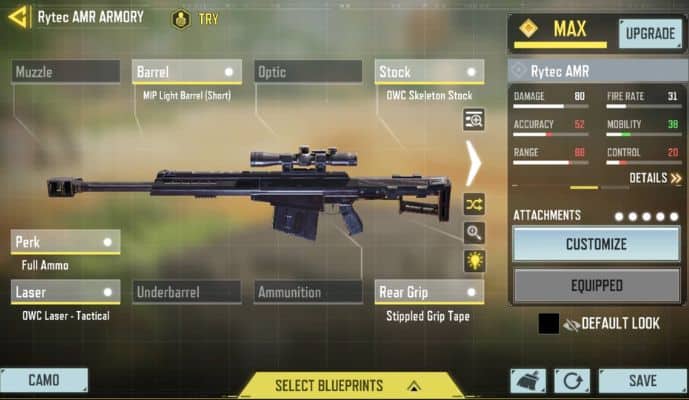
    There is no denying the fact that the Rytec AMR is the best automatic sniper in COD, but there are some attachments that make it highly lethal. If you get these attachments for your sniper, they will double their power. The most important attachments you must get for your sniper are:

    • Barrel: MIP Light Barrel (Short)
    • Stock: OWC Skeleton Stock
    • Laser: OWC Laser – Tactical
    • Rear Grip: Stippled Grip Tape
    • Perk: Full Ammo

    Best loadout for Rytec AMR

    How To Get Rytec AMR – Free & Paid

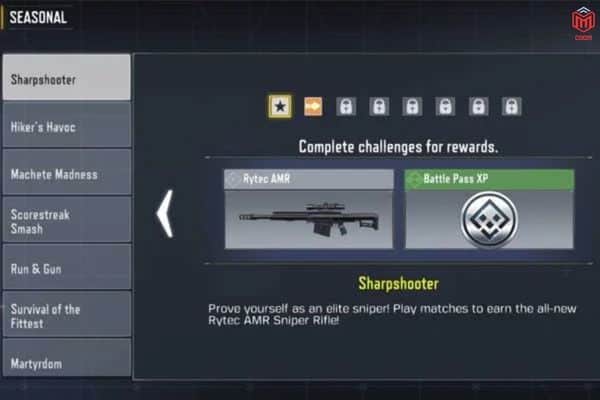
    There are two methods to obtain the Rytec AMR, a brand-new sniper recently launched in the middle of Season 6, “The Heat.” If you finish all the tasks in the Sharpshooter Events, you may unlock the free Rytec AMR. You must visit to access the tasks list:>
    Events > Seasonal > Sharpshooter.

    How To Get Rytec AMR  Free

    Rytec AMR can be acquired by playing Abyssal State Mythic Drop Draw. This Lucky Draw requires you to use real currency to gain a chance of winning.

    FAQs

    Is The Rytec AMR Good?

    Yes, Rytec AMR is a great weapon that you can use to fight off the bad guys in Call Of Duty Mobile. It causes the most damage to the opponent, and if you attach some attachments to it, it becomes absolutely lethal. Besides, it has a perfect range.

    [ads]

    Final Thoughts

    So, this was all from my side. I have tried to explain everything about the Rytec AMR automatic sniper. You can use it to fight off even the most potent enemies’ in CODM. However, it has a high ADS and low mobility, but you can counter these problems using different attachments.

    Rytec AMR Skins – Rarity, & How To Get

    Weapon skins make your gun look nice and give you an edge against enemies. The following are the best skins for the Rytec AMR:

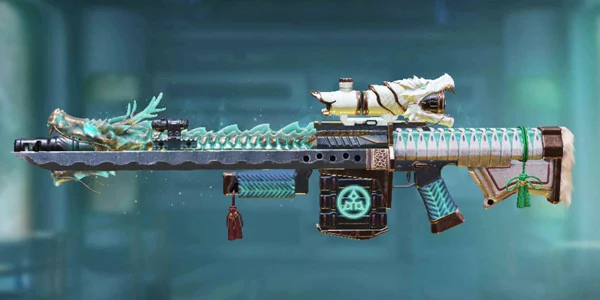
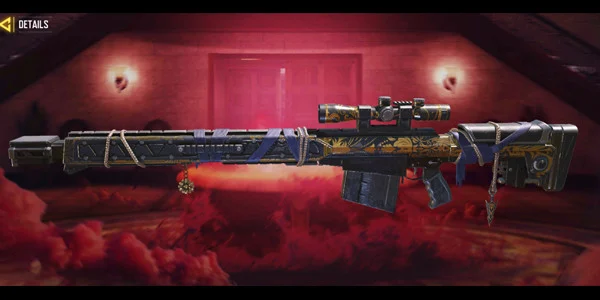
    Rytec AMR – Nito-Ryu

    rytec-amr-nito-ryu

    Rarity: Legendary

    How to get Rytec AMR Nito-Ryu: Unlock this skin SO-KEN Draw.

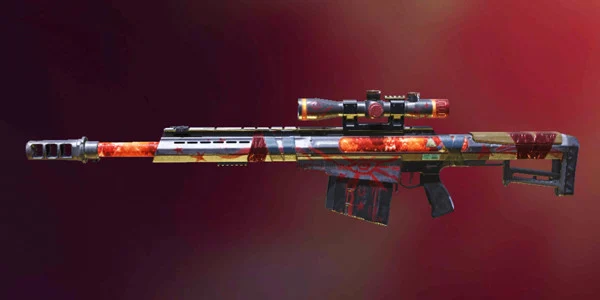
    Rytec AMR – Occult Mark

    rytec-amr-occult-mark

    Rarity: Epic

    How to get Rytec AMR Occult Mark: Unlock this skin Icon of Rage Draw.

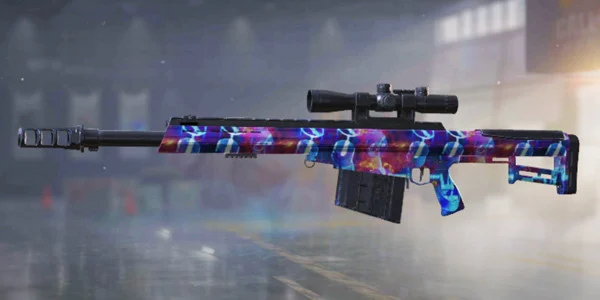
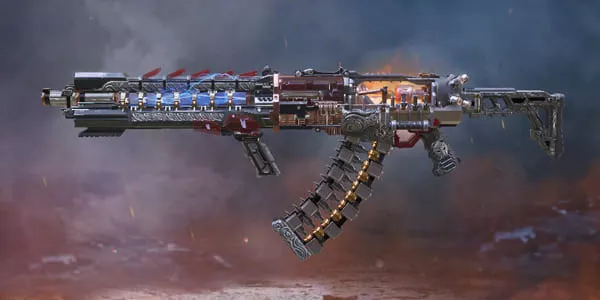
    Rytec AMR – Inner Mechanism

    rytec-amr-inner-mechanism

    Rarity: Epic

    How to get Rytec AMR – Inner Mechanism: Unlock this skin in Fear and Embers Crate.

    Rytec AMR – Master Plan

    rytec-amr-master-plan

    Rarity: Epic

    How to get: Unlock this skin in S1 2022 Edition Battle Pass.

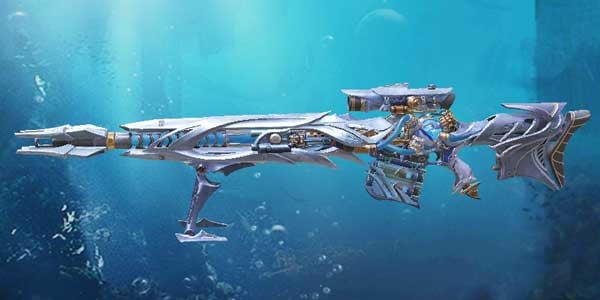
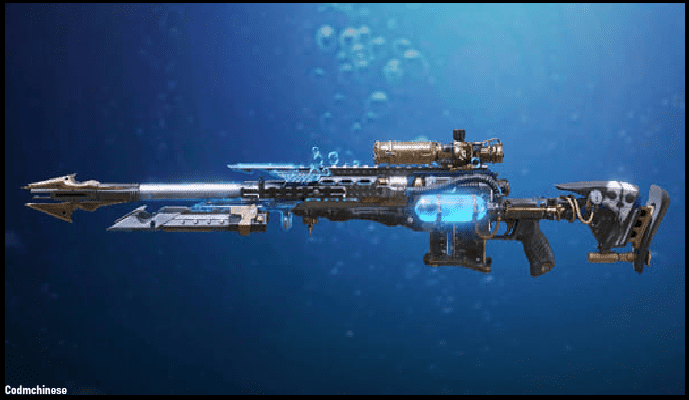
    Rytec AMR – Nautilus

    rytec-amr-nautilus

    Rarity: Mythic

    How to get: Unlock this skin in Abyssal State Mythic Draw.

    Rytec AMR – Revati

    rytec-amr-revati

    Rarity: Epic

    How to get Unlock this skin S7 Premium Battle Pass .

  • CBR4 SMG in COD Mobile – (Weapon Guide)

    People usually prefer to play firing games, which brings more thrill and enjoyment to their gaming session. Nowadays, a person can play many different firing and mission games on the internet. Among them, the most electrifying and stirring game that you can play is Call of Duty. In Call of Duty, the player can find different weapons through which they can kill their enemy to attain victory.

    Well, CBR4 in COD Mobile is one of the amazing and powerful firing weapons that a person can get to play with. This weapon is best to use during medium-range battles as it is fast, stable, and provides accurate firing. To know more about CBR4 in Call Of Duty Mobile, you need to read this article. This article will provide more information regarding CBR4 attachments, skins, and much more.

    CBR4 Weapon Overview

    CBR4 CODM

    CBR4 in COD Mobile is one of the most unique and powerful firing weapons a person can play with. This weapon is best to use during medium-range battles as it is fast, stable, and provides accurate firing.

    CBR4 Weapon Stats

    CBR4Stats & Tier
    Damage:24
    Fire Rate:80
    Accuracy:43
    Mobility:94
    Range:47
    Control:42

    Attachment Guide – The Best Loadout for CBR4

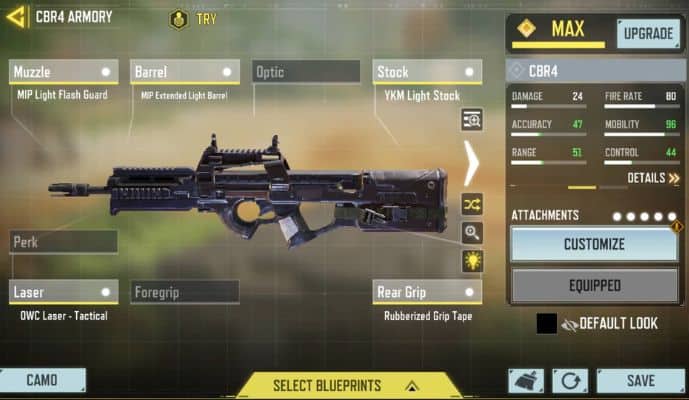
    For getting amazing CBR4 performance, you can even attach the Loadouts with it. The best CBR4 Loadout options will be Laser, Stock, Rear Grip, Perk, and Barrel. Attaching these Loadouts will make your gun super fast and allow accurate target shooting. The two main Loadouts for CBR4 are as follows;

    • Barrel: MIP Extended Light Barrel.
    • Laser: QWC Laser – Tactical.
    • Muzzle: MIP Light Flash Guard.
    • Stock: YKM Light Stock.
    • Rear Grip: Rubberized Grip Tape.
    best cbr4 loadout for multiplayer

    Loadout For Multiplayer and For Battle Royale

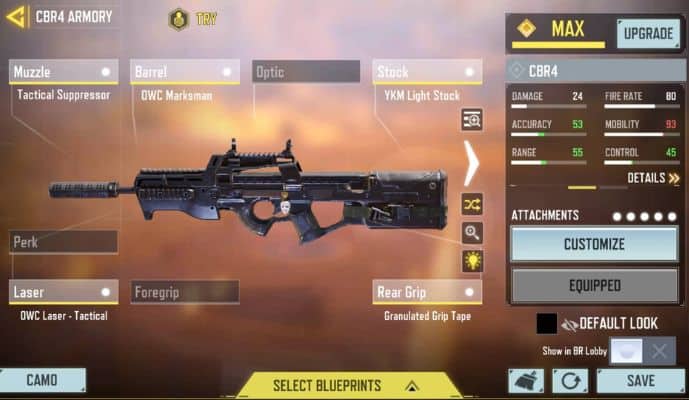
    The Loadout for Multiplayer in Call of Duty uses the Cold War, where the player can use XM4 for more accuracy and speed gain. The best Loadout for Battle Royale provides a long-range, accurate shooting experience. Using these Loadouts will surely make a significant playing difference.

    • Barrel: OWC Marksman
    • Stock: YKM Light Stock
    • Muzzle: Tactical Suppressor
    • Laser: OWC Laser – Tactical
    • Grip: Granulated Grip Tape

    best cbr4 loadout for battle royale

    Wrapping Up!

    Well, in Call of Duty, the CBR4 is the best gun, which has low recoil, more stability, and accuracy. The CBR4 in Call Of Duty Mobile is one of the best shooting guns for long-distance and precise targeting. The firing speed of the CRB4 is quite fast and excellent. I hope you have learned a great sum of information from this article.

    CBR4 Skins – Price, & How To Get

    Weapon skins are highly essential as they not only improve the overall outlook of the weapon but also offer additional benefits during the game. Some of the recommended weapon skins for the CBR4 weapon in COD mobile:

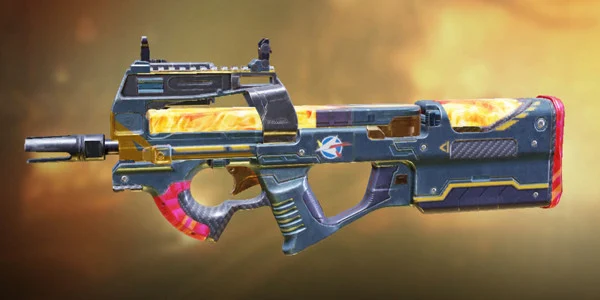
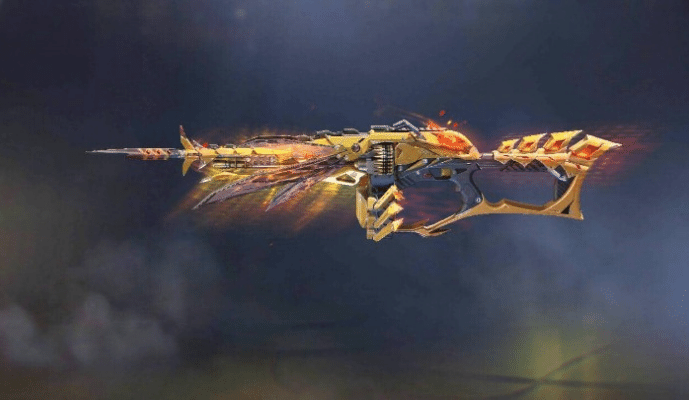
    CBR4 – Firebird Ray

    cbr4-firebird-ray-cod-mobile

    Rarity: Epic

    How to get CBR4 Firebird Ray: Unlock this skin in Danger Drop Draw.

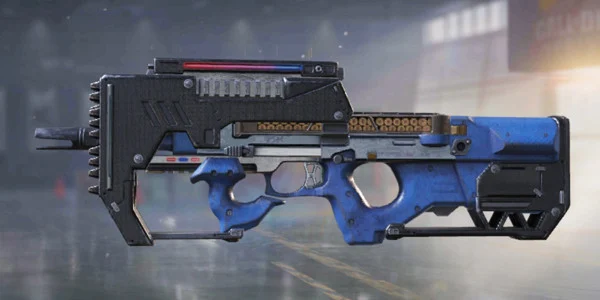
    CBR4 – Danger Close

    cbr4-danger-close-cod-mobile

    Rarity: Epic

    How to get: Unlock this skin in Above the Law Crate.

    CBR4 – Amoeba

    cbr4-amoeba-cod-mobile

    Rarity: Epic

    How to get: Unlock this skin in Damned to Life Mythic Drop.

  • How to Play Cod Mobile with a Controller

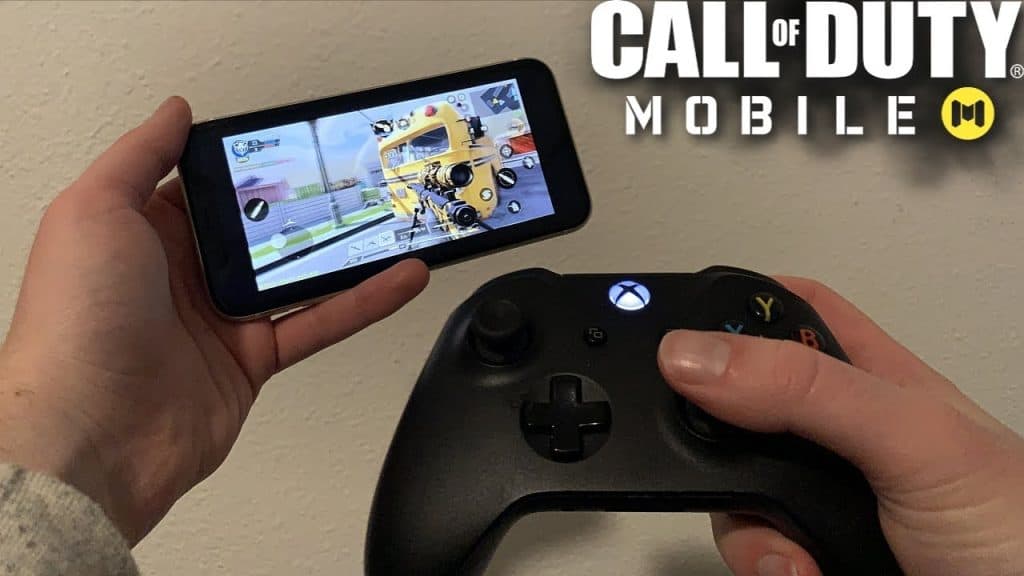
    A mobile version of Call of Duty was released in October 2019 and quickly became a popular mobile game. There is impressive growth in the game’s player base, and its popularity is on the rise. Currently, COD Mobile is a fiercely competitive game, as new players join the game every day. Although most players feel comfortable using their mobile phones and touch screens, most prefer to use controllers instead.

    Immediately after the game launched, Activision added controller support to meet player demands. Currently, Xbox One and PlayStation 4 controllers are supported by COD Mobile. In addition to the first edition, other official PlayStation controllers can also be used. In spite of Activision’s statement that other controllers would be included in future updates, there are no signs that one is coming.

    Players using controllers will only be able to play matches against players using controllers. Matchmaking will be more equitable this way.

    How to Play Cod Mobile with a Controller

    Does Call of Duty Mobile have full controller support?

    Does Call of Duty Mobile have full controller support

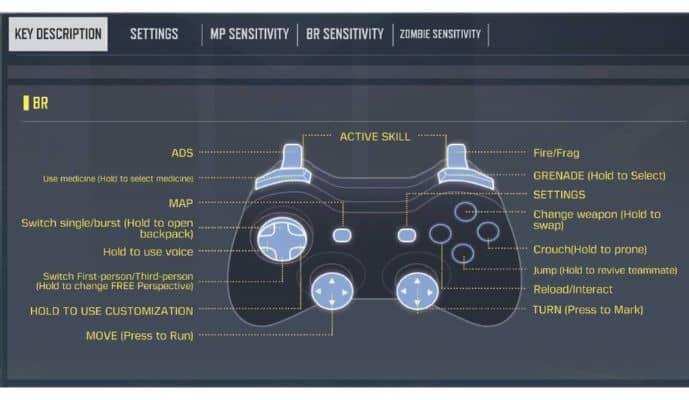
    Since November 2019, iOS and Android have had limited controller support. At the moment, only two controllers work in-game, and the game only officially supports them. Touch controls are still required for navigating menus and loadout screens.

    There are settings available for customizing sensitivity for game types, such as multiplayer, battle royale, and zombies, but button mapping cannot be changed. Developers intend to further optimize support for Call of Duty Mobile controllers in the future.

    Alternatively, you can use Bluestacks or Call of Duty Mobile’s official emulator if you want fully customizable controls. It is also possible to use these methods, but you’ll be matched with other emulator players.

    How to Play CoD Mobile with a controller: Android, iPhone, or iPad

    Bluetooth is the easiest way to connect your controller to your devices. It doesn’t matter what operating system your phone or tablet uses; this process is quick and easy:

    On iPhone

    1. You can enable Bluetooth on your phone by opening the Settings app.

    1. Your PlayStation controller’s PS & Share button or your Xbox controller’s connect button should be held down while you play.

    1. Under ‘Other Devices’ on your iOS device, select the controller when the LED starts flashing.

    1. Open CoD Mobile and test your controller once it has been connected to your settings.

    On Android

    1. At the top of your screen, you will find the Notification Shade.

    1. Hold the Bluetooth icon for a long time.

    1. You can pair a new device by selecting ‘Pair New Device.’

    1. Your PlayStation controller’s PS & Share button or your Xbox controller’s connect button should be held down while you play.

    1. On your Android phone, select the controller once the LED starts flashing.

    1. Open CoD Mobile and test your controller once it has been connected to your settings.

    If your controller doesn’t work in the game’s menu, don’t worry. It only works when you’re actually playing a match.

    Is CoD Mobile Easier with a Controller?

    call of duty mobile
    (Image Credit by Activision)

    In Call of Duty Mobile, developers are confident that users will be able to enjoy their favorite shooter with mobile controllers. Virtual controls are not very convenient when playing CoD Mobile on a smartphone. 

    Running, aiming, and shooting are all required simultaneously. Hardware controls make fighting in FPS games easier than touchscreens when using a mobile controller.

    As well as recognizing controllers, the game also places you in a lobby with other players using mobile controllers. The advantage given to players with mobile controllers is therefore minimized. The controller lobby will be assigned to you even if only one of your team members owns a controller. You may be at a great disadvantage if you do not possess a controller.

    In seconds, you can connect your Backbone One or GameSir X3 to your smartphone and enjoy a pure gaming experience. Players can play games wherever they want by opening the appropriate app on their mobile devices.

    Tips for Controllers Users

    • The game supports Xbox One and PlayStation controllers, but third-party controllers are also supported. In some cases, however, you may not be able to use some of the features.

    • Players cannot use controllers during other activities in the game, excluding matches. The device’s touch controls are required to navigate the main menu or change outfits and load-outs. It is necessary for players to switch to controller support in the Settings menu after entering a match and after connecting the controller.

    • It is not necessary for players who use controllers to be on the same team as players without controllers.

    • One of the most common myths on the internet is that players will be banned if they use a controller. According to Activision themselves, controllers are perfectly safe when used with games.

    Will using a controller in Call of Duty Mobile get you banned?

    That’s not right! The developer of CoD Mobile has fully permitted controller support. You won’t be banned from using one. The game matches you with other controller users. Generally, this results in more competitive opponents and longer matchmaking times.

    Frequently Asked Questions

    Why won’t my controller work on CoD: Mobile?

    Users who have problems with Call of Duty: Mobile controllers should disconnect and reconnect the controller. Make sure the controller’s battery is charged enough before using it. The game will not be able to detect the controller if it does not have enough battery power.

    Is CoD Mobile easier with a controller?

    The virtual controls on a smartphone are not very convenient for playing COD Mobile. Running, aiming, and shooting are all done simultaneously. Hardware controls are simply easier to use for an FPS than touchscreens, so the fight is much easier with a mobile controller.

    How do you use a controller on Call of Duty: Mobile 2022?

    If you are using the PS5 or Xbox One controller with an Android or iOS device, you must connect them via Bluetooth in order to play COD Mobile. Whether you’re connecting with a phone or tablet, the process takes only a few seconds. The Bluetooth icon can be accessed by long-pressing the notification shade.

    Final Thoughts

    Your foes are now within your scream distance in CoD mobile. There is no connection between the controller and lobby or settings, so you can only use it in-game. Although touch controls are still present, it makes the game experience smooth and seamless. So what are you waiting for? Let’s do it right now! And take your gaming experience to the next level.

  • AS VAL Assault Rifle in COD Mobile – ( Weapon Guide

    The AS VAL is one of the top assault rifles for close-range combat in Call of duty mobile, thanks to its decent damage, high rate of fire, and good accuracy.

    This article provides a comprehensive guide to the AS VAL assault rifle, including best attachments and tips on how to use it effectively.

    AS VAL Weapon Overview

    AS VAL is unlocked by reaching tier 21 of the Season 2 BP.

    AS VAL COD Mobile

    Assault rifles are potent weapons in COD Mobile, and AS VAL is an excellent choice for close combat. You can use this assault rifle appropriately if you have sufficient skills, so let’s start with its stats.

    [ads]

    AS VAL have incredibly high damage rates, fast fire rates, and a range that is above average for Assault Rifles, making them extremely deadly in close quarters. The accuracy of this weapon is higher than most of the weapons that spawn per box. Try to get one with suitable attachments if you can.

    AS VAL Stats

    AS VALStats
    Damage:28
    Fire Rate:80
    Accuracy:44
    Mobility:83
    Control:47
    Range:50

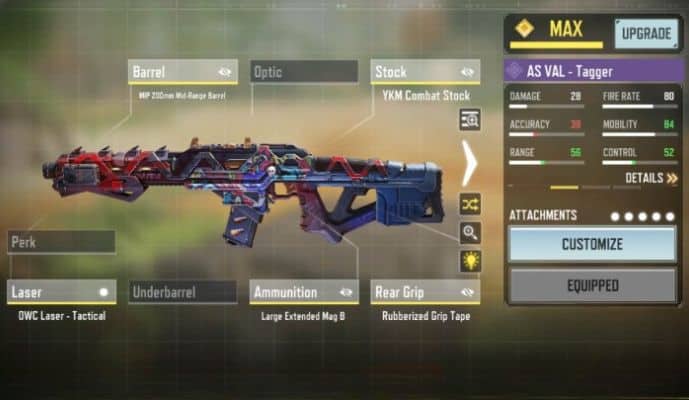
    Attachment Guide – The Best Loadout for AS VAL (Multiplayer & BR)

    These are the best AS VAL loadout attachments if you’re looking for them.

    • Barrel: MIP 200mm Mid-Range Barrel.
    • Laser: OWC Laser – Tactical.
    • Rear Grip: Rubberized Grip Tape.
    • Stock: YKM Combat Stock.
    • Ammunition: Large Extended Mag B.

    Best Loadout for AS VAL

    AS VAL is a beast of a gun with these attachments.

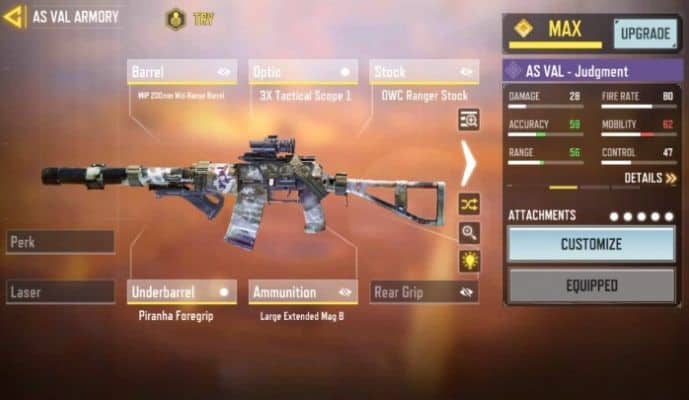
    Best AS VAL Loadout for Battle Royale

    [ads]

    Here are the most effective AS VAL loadouts for Battle Royale:

    • Barrel: MIP 200mm Mid-Range Barrel.
    • Optic: 3x Tactical Scope 1.
    • Foregrip: Piranha Foregrip.
    • Ammunition: Large Extended Mag B.
    • Stock: OWC Ranger Stock.

    Best AS VAL Loadout for Battle Royale

    This is the best AS VAL loadout build specially for Battle Royale because attachments increase accuracy and improve your hip fire capabilities.

    Tip: To achieve 100 percent output from this close combat rifle, you must use a powerful loadout to exceed 1000+ with this weapon! You can choose between these two load-outs .(author's recommendation)

    Wrapping Up

    We hope this guide has provided you with valuable insights about this weapon. If you have any questions, please feel free to ask in the comments section below.

    AS VAL Skins – Rarity, & How To Get

    In COD Mobile, you can customize your gun to make it look amazing with cool weapon skins. Listed below are the top AS VAL Skins:

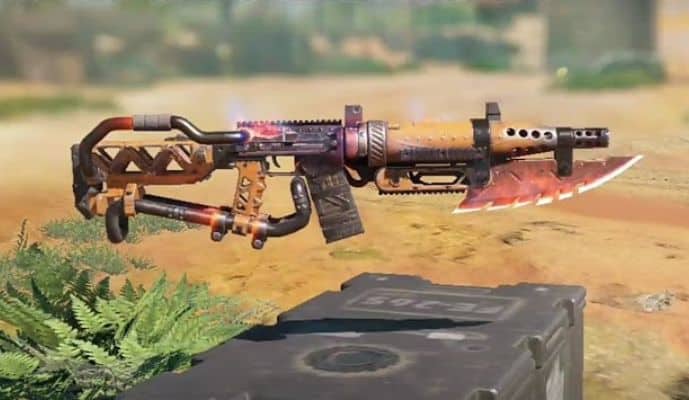
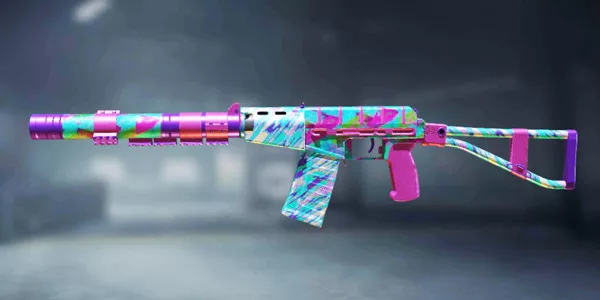
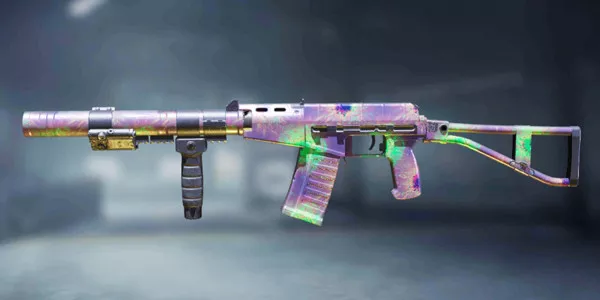
    AS VAL – Color Streak

    as-val-color-streak-cod-mobile

    Rarity: Epic

    How to get: Unlock this skin in Arcade Shootout Crate.

    AS VAL – Pollinator

    as-val-pollinator-cod-mobile

    Rarity: Epic

    How to get: Unlock this skin in Season 8 Seasonal event.

    [ads]

    AS VAL – Plasma Explosion

    as-val-plasma-explosion-cod-mobile

    Rarity: Epic

    How to get: Unlock this skin in Foresight Crate.

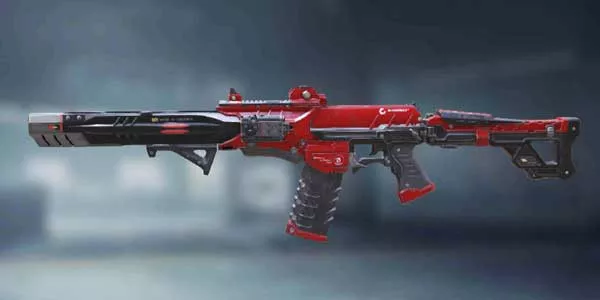
    AS VAL – Red Action

    as-val-red-action-cod-mobile

    Rarity: Epic

    How to get: Unlock this skin in Vermillion Arsenal Crate.

    AS VAL – Double Edge

    as-val-double-edge-cod-mobile

    Rarity: Mythic

    How to get: Unlock this skin in Cross Guard Mythic Drop.

    [ads]
  • MX9 SMG (Weapon Guide) | COD Mobile

    The MX is a fully-automatic submachine gun that fires 9mm rounds. It has a high rate of fire and is very effective at close range. However, its range is limited and not very effective at long range. The MX9 is a very versatile submachine gun and can be used in various situations.

    It is most effective at close range but can also be used at medium range if equipped with a scope. We have compiled a list of the best attachment for MX9 in CODM, weapon skins, and much more.

    MX9 Weapon Overview

    You can unlock the MX9 SMG by spending 3000 credits in the credit store.

    MX9 is one of the best SMGs in COD Mobile. This weapon deals 30 and 33 headshot damage with a fast fire rate, making it deadly at close range (5 to 9 meters). In time, you’ll get used to the recoil, but you’ll also learn the pattern.

    Attachment Guide – Best Loadout For MX9

    This attachment will reveal the full potential of this weapon:

    • MIP Extended Light Barrel
    • Agile Stock
    • Firm Grip Tape
    • Infiltrator Foregrip
    • Large Caliber Ammo

    MX9 players will notice a noticeable difference with this attachment because of the increased Damage range, ADS & Movement speed, and reduced Hit Flinch time-to-kill. The Large Caliber Ammo increases damage from 30 to 34 (Upper Chest) for faster kill times; It is highly recommended that you use these attachments.

    MX9 SMG Stats & Tier Ranking

    This is a clean MX9 SMG stats table without attachments:

    MX9Stats & Tier
    Damage:30
    Fire Rate:86
    Accuracy:45
    Mobility:95
    Range:41
    Controls:40

    MX9 Skins – Rarity & How To Get

    Several cool MX-9 gun skins are available in Call of Duty: Mobile. Here are some of the best skins:

    MX9 – Heartless

    mx9-heartless-cod-mobile

    Rarity: Legendary

    How to get MX9 Heartless: Unlock this skin in Wetlands Warrior Draw.

    MX9 – Stone Serpent

    mx9-stone-serpent-cod-mobile

    Rarity: Epic.

    How to get MX9 – Stone Serpent: Unlock this gun skin by reaching Tier 50 in Season 6 Battle Pass.

    Wrapping Up

    MX9 is one of the best SMGs in Call of Duty Mobile. Due to its high rate of fire and decent damage, it is excellent for close-combat situations where you need to take down enemies quickly. Is this post helpful to you? If you have any comments, please let me know!

  • List of CoD Mobile Legendary Skins (Plus) How to unlock

    Legendary skins are premium/Paid items primarily for weapons. They feature distinctive visual effects, animations, and unique kill effects. Typically, these skins are part of special events (Currently, Secret Caches are active) and can be obtained through lucky draws. Players can acquire them through various in-game methods, including some free options.

    When players purchase three legendary weapons in Call of Duty Mobile, they receive a free legendary skin, likely a weapon selected by the Call of Duty team. Each season features a different skin, encouraging players to buy draws to unlock the free one.

    Here is a list of all the legendary skins available in Call of Duty Mobile. Additionally, you will learn how to acquire them in-game as well.

     KN-44 – Mystic Fox

    KN-44 - Mystic Fox
    UnlockZero Day Draw

    ASM10 – Red Shadow

    ASM10 - Red Shadow
    UnlockShadow of the Blade Draw

    LK24 – Drop Shock

    LK24 - Drop Shock
    UnlockHellbound Draw

    KRM-262 – Glorious Blaze

    KRM-262 - Glorious Blaze
    UnlockDanger Drop Draw

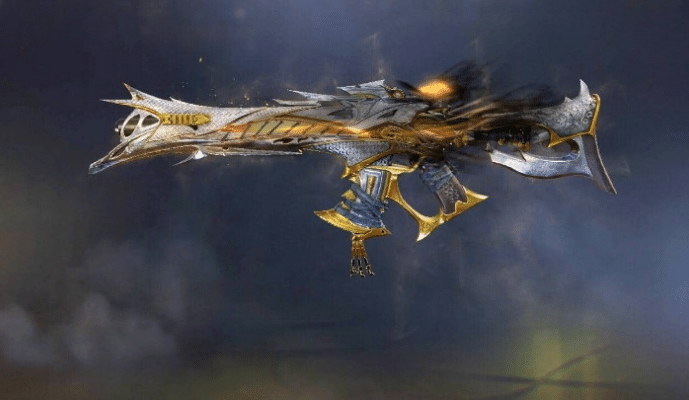
    KSP 45 – Divinity

    KSP 45 - Divinity
    UnlockGilded Glaive Draw

    L-CAR-9 – Industrial Pulverizer

    L-CAR-9 - Industrial Pulverizer
    UnlockAir Machina Draw

    M13 – Liminal Flare

    M13 - Liminal Flare
    UnlockHeaven’s Lance Draw

    M4 – Thermal Shroud

    M4 - Thermal Shroud
    UnlockThermal Core Draw

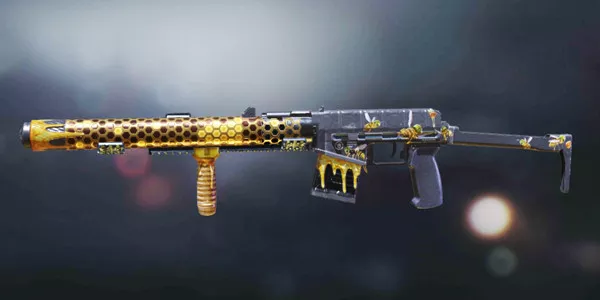
    RPD – Yellowjacket

    RPD - Yellowjacket
    UnlockSword and Stinger Draw

    PDW-57 – Battalion

    PDW-57 - Battalion
    UnlockDecommissioned Draw

    DL Q33 – Bass Boster

    DL Q33 - Bass Boster
    UnlockCrossfade Draw

    ICR-1 – Sabre Blade

    ICR-1 - Sabre Blade
    UnlockChromium Iron Draw

    Koshka – Wundergewehr

    Koshka - Wundergewher
    UnlockElement 115 Draw

    CR-556 – Feral Tusk

    CR-556 - Feral Tusk
    UnlockWarhead Wasteland Draw

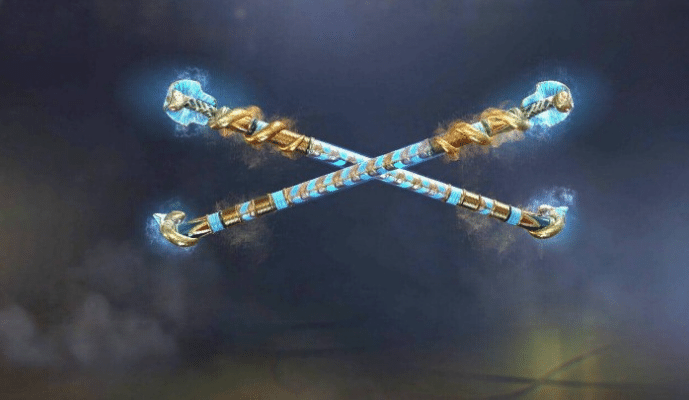
    Kali Sticks – Sand Scepters

    Kali Sticks - Sand Scepters
    UnlockCrown of Kings Draw

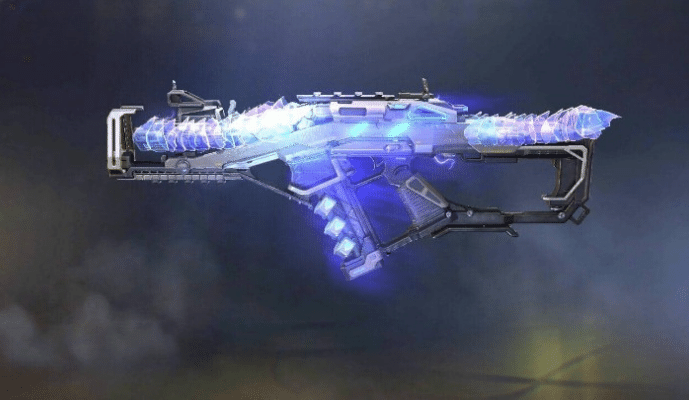
    MX9 – Exostatic

    MX9 - Exostatic
    UnlockSkirmisher Draw

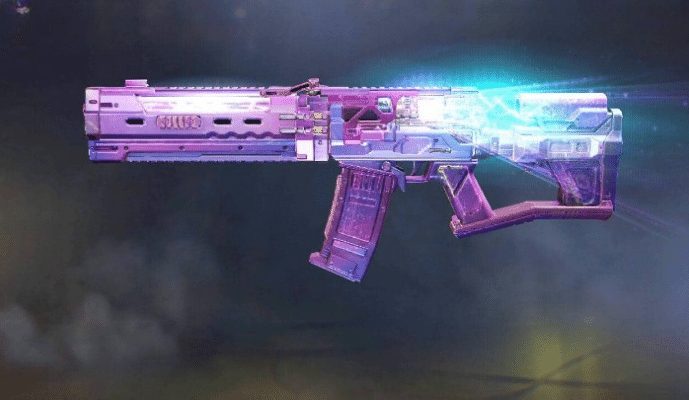
    Ak117 – Dazzling Rhythm

    Ak117 - Dazzling Rhythm
    UnlockTotal Body Draw

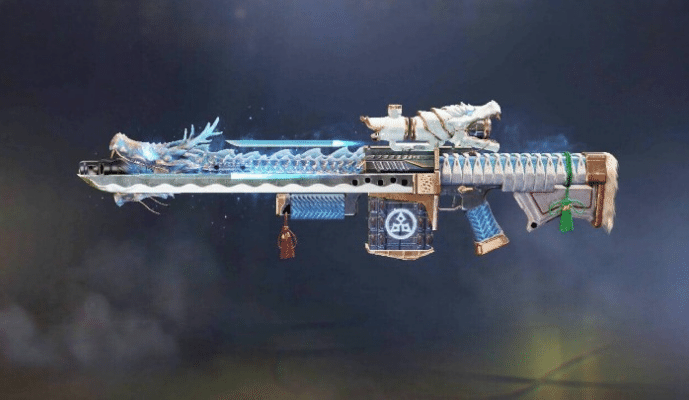
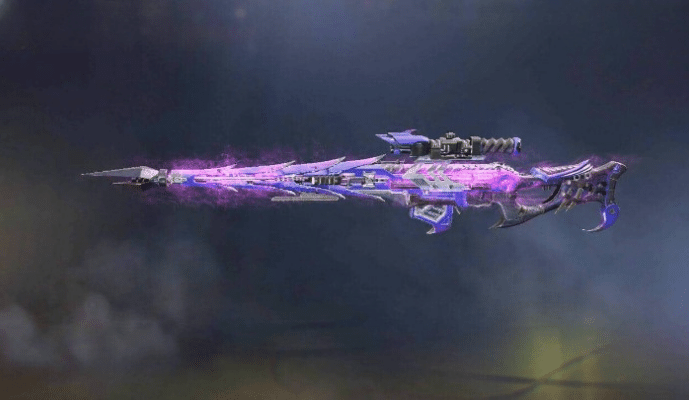
    Rytec AMR – Nito-ryu

    Rytec AMR - Nito-ryu
    UnlockSo-Ken Draw

    HVK-30 – Cartridge Crusher

    HVK-30 - Cartridge Crusher
    UnlockPower Supply Draw

    MAC-10 – Atomic Star

    MAC-10 - Atomic Star
    UnlockCrossover Draw

    Rus-790 – Equalizer

    Rus-790 - Equalizer
    UnlockDog Father Draw

    PP19 Bizon – Home brewed Hex

    PP19 Bizon - Home brewed Hex
    UnlockIcon of Rage Draw

    DRH – Blood Rose

    DR-H - Blood Rose
    UnlockInformant Draw

    Holger 26 – Risen Deep

    Holger 26 - Risen Deep
    UnlockDEEP SUMMONING Draw

    J358 – Heavy Handed

    J358 - Heavy Handed
    UnlockClean House Draw

    HBRa3 – Rictus Arc

    HBRa3 - Rictus ARC
    UnlockPROTOTYPE DRAW 

    JAK-12 – Molten Mirror

    JAK-12 - Molten Mirror
    UnlockRogue Revenge Draw

    AS VAL – Steel Fusion

    AS VAL - Steel Fusion
    UnlockBREACH & BREAK DRAW

    QXR – Fossil Fire

    QXR - Fossil Fire
    UnlockDEADLY GAME DRAW

    Arctic .50 – Zodiac Beas

    Arctic .50 - Zodiac Beast
    UnlockYear of The Tiger Draw

    PPSh-41 – Emberwing

    PPSh-41 - Emberwing
    UnlockSecond Chance Draw

    Locus – Electron

    Locus - ELectron
    UnlockDusk Owl Draw

    Type 25 – Horseman’s Pick

    Type 25 - Horseman's Pick
    UnlockPale Horseman Draw

    D13 Sector – Stream Shredder

    D13 Sector Shredder
    UnlockINTERNAL CIRCLE DRAW

    PKM – Red Nose Revenge

    PKM - Red Nose Revenge
    UnlockCrueltide Draw

    Crossbow – Kinetic Electricity

    Crossbow - Kinetic Electricity
    UnlockTechno Aim Draw 

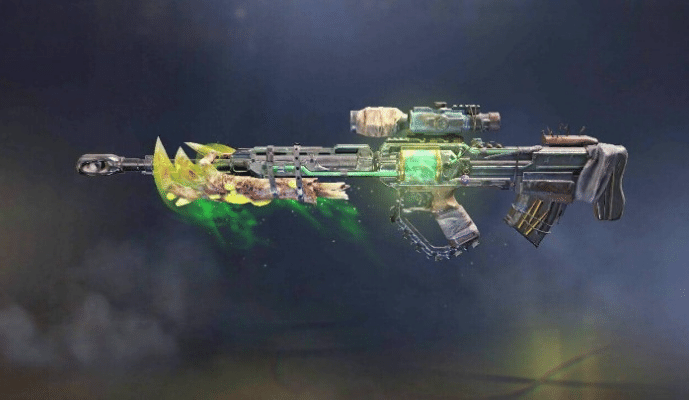
    SVD – Toxicant

    SVD - Toxicant
    UnlockShadow String Draw

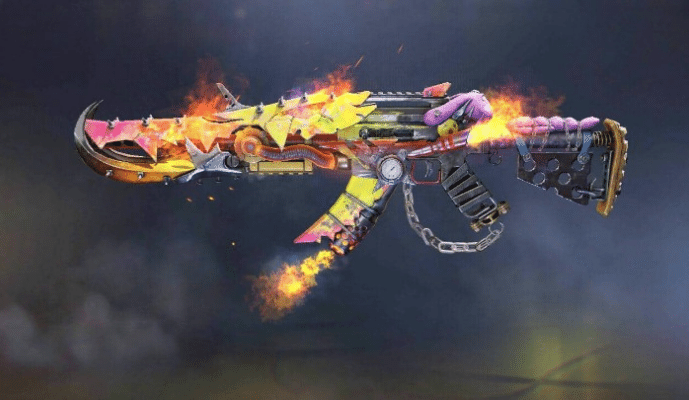
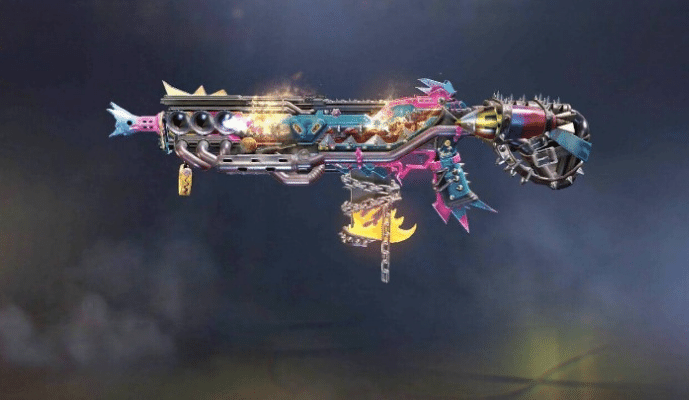
    Peacekeeper Mk2 – Crustpunker

    Peacekeeper Mk2 - Crustpunker
    UnlockLaugh, Boom! Draw

    LK24 – Idol Star

    LK24 - Idol Star
    UnlockDeadly Cute Draw

    HG 40 – Ghoul Bound

    HG 40 - Ghoul Bound
    UnlockVengeful Hunter Draw

    Thumper – Surprise Party

    Thumper - Surprise Party
    UnlockUNHINGED JOKESTER DRAW

    Chopper – Rules of the Game

    Chopper - Rules of the Game
    UnlockGame Over Draw

    Fennec – Venom Coil

    Fennec - Venom Coil
    UnlockAltered DNA Draw

    Dl Q33 – Advanced Artillery

    Dl Q33 - Advanced Artillery
    UnlockArmed to the Teeth Draw

    R9-0 – Hopper

    R9-0 - Hopper
    UnlockOktoberfest Draw

    BK57 – Flash Freeze

     BK57 - Flash Freeze
    UnlockBOREAL BARRAGE DRAW

    QQ9 – Moonlight

    QQ9 - Moonlight
    UnlockVeiled Moon Draw

    M4LMG – Salamander

    M4LMG - Salamander
    UnlockASHURA DRAW

    Hades – Void Sender

    Hades - Void Sender
    UnlockRoyal Renegade Draw

    AK117 – Aesir

    AK117 - Aesir
    UnlockODINSONG DRAW

    MX9 – Heartless

    MX9 - Heartless
    UnlockWetlands Warrior Draw

    DRH – Purebred

    DRH - Purebred
    UnlockROTTWEILER DRAW

    AGr556 – Ripper

    AGr556 - Ripper
    UnlockThe GraveWalker Draw

    Type25 – Magnetic Engine

    Type25 - Magnetic Engine
    UnlockSafety First Draw

    ASM10 – Abyssal Agent

    ASM10 - Abyssal Agent
    UnlockHydroshock Draw

    Shorty – Last Resort

    Shorty - Last Resort
    UnlockOmnipotent Draw

    CR-56 Amax – Red Death

    CR-56 Amax - Red Death
    UnlockThorned Rose Draw

    Locus – Neptune

    locus codm
    UnlockRising Tides Draw

    MK2- Helix Grade

    MK2- Helix Grade
    UnlockDrillHead Draw

    Razorback – Boreal Aegis

    Razorback - Boreal Aegis
    UnlockNorthern Lights Draw

    QQ9 – Sigrun

    QQ9 - Sigrun
    UnlockFALLEN VALKYRIE DRAW

    KN-44 – Dance of Death

    KN-44 - Dance of Death
    UnlockMedieval Malpractice Draw

    ICR-1 – Innovator

    ICR-1 - Innovator
    UnlockSynaptic Crash Draw

    PP19 Bizon – Invocation

    PP19 Bizon - Invocation
    UnlockThe Order Draw

    Renetti – Metal Phantom

    Renetti - Metal Phantom
    UnlockForged Steal Draw

    Arctic-50 – Foxfire

    Arctic-50 Foxfire
    UnlockINARI OKAMI DRAW

    Ak-47 – Kuromaku

    Ak-47 - Kuromaku
    UnlockBlade and Blossom Draw

    PDW-57 – Toxic Waste

    PDW-57 - Toxic Waste
    UnlockNoxious Draw

    Man-o-War – Death scythe

    UnlockEternal Rest Draw

    SP-R 208 Counter Spy

    SP-R 208 counter spy
    UnlockDoppel Ganger Draw

    Type 25 – Bloody vengeance

    Type 25 - Bloody vengeance
    UnlockHuntress Draw

    GKS – Wanderer

    GKS - Wanderer
    UnlockUrbanite Draw

    SKS – Particle Splitter

    SKS - Particle splitter
    UnlockPestilence Draw

    Fr 556 – Superhighway

    Fr 556 - Superhighway
    UnlockSystem Overload Draw

    ICR-1 – Forced laughter

    Icr-1 - Forced laughter
    UnlockDisruptor Draw

    Bk57 – Space race

    Bk57 - space race
    UnlockCountdown Draw

    Razorback – Necessary Diplomacy

    Razorback - Necessary Diplomacy
    UnlockDetente Draw

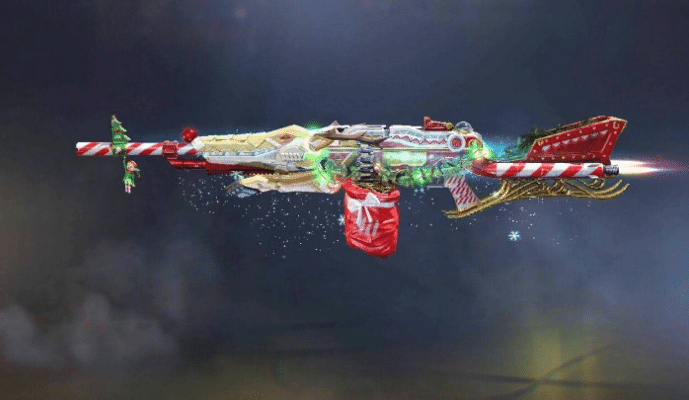
    QXR – Secret Santa

    QXR - Secret Santa
    UnlockFire Side Draw

    DR-H – Wicked Claw

    DR-h - Wicked Claw
    UnlockPrimeval Draw

    .50 GS – Calamity

    50 Gs - Calamity
    UnlockDark Side Draw

    AGR 556 – Durandel

    AGR 556 - Durandal
    UnlockDark Omens Draw

    M4 – Court Jester

    M4 - Court Jester
    UnlockWicked Trickster Draw

    Ak-47 – Pumpkin Head

    AK-47 - Pumpkin Head
    Unlock Halloween Draw

    Na-45 Lycanthrope

    NA-45 - Lycanthrope
    UnlockThorned Rose Draw

    HV-K 30 – Maximum Security

    HVK-30 - Maximum Security
    UnlockPrison Break Draw

    DL Q33 -Zealot

    DL Q33 - Zealot
    UnlockDark Ritual Draw

    HBRa3 – Swarm

    HBRa3 - Swarm
    UnlockHoney Badger Draw

    Echo – Natural Cause

    Echo - Natural Causes
    UnlockNatural Cause Draw

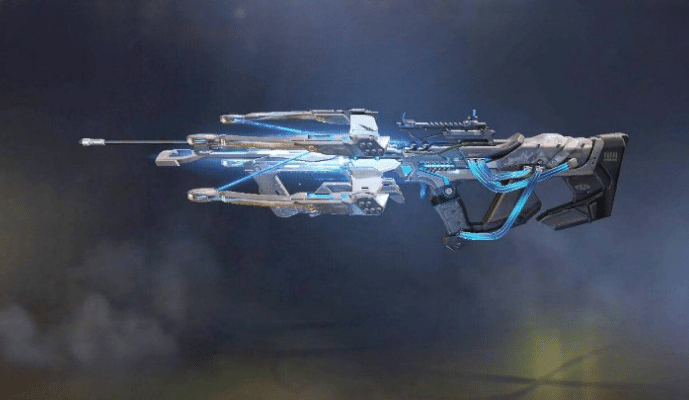
    Kilo Bolt-Action Rail Gun

    Kilo Bolt-Action - Rail Gun
    UnlockCybernetic Draw

    UL736 – Depth Charge

    UL736 - Depth Charge
    UnlockDive! Dive! Draw

    ASM10 – Bunker Buster

    ASM10 - Bunker Buster
    UnlockHell on Shells Draw

    HG 40 – Gold Standard

    HG 40 - Gold Standard
    UnlockManifest Draw

    QQ9 – Melting Point

    QQ9 - Melting Point
    UnlockMelting Point Draw

    RPD – Practical Joker

    RPD - Practical Joker
    UnlockSweet Joke Draw

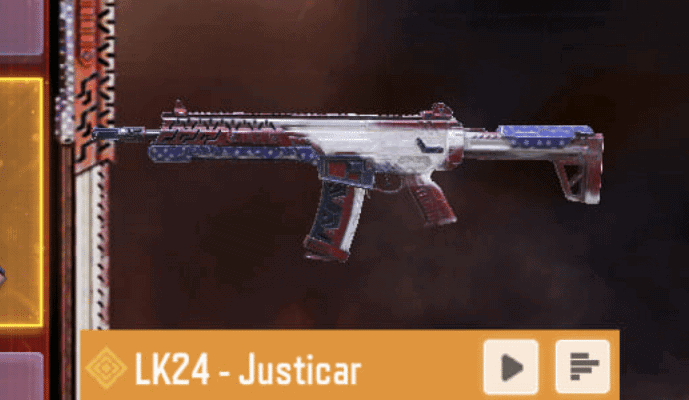
    LK24 – Justicar

    LK24 - Justicar
    UnlockStar Sprangled Draw

    Chopper – Chain Reaction

    chopper chain reaction
    UnlockChain Reaction Draw

    AK 117 – Meltdown

    ak 117 meltdown
    UnlockMolten Fusion Draw

    Outlaw – High Noon

    outlaw high noon
    UnlockFrontier Justice Draw

    Cordite Zero-G

    cordite zero g
    UnlockVoid Redux Draw

    RUS-79U – Dustkicker

    RUS-79U Dustkicker
    UnlockDust to Dust Draw

    GKS – Tactical Unicorn

    GKS Tactical Unicorn
    Unlock Tactical Unicorn Draw

    MSMC – Space Station

    MSMC Space Station
    UnlockSpace Station Draw

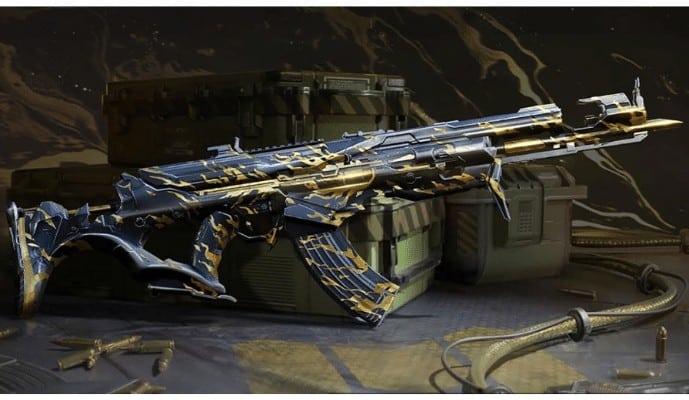
    AK-47 – Wrath Black & Gold

    AK-47 Wrath Black & Gold
    UnlockWrath Draw Redux

    S36 – Phobos

    S36 Phobos
    UnlockValentine Draw

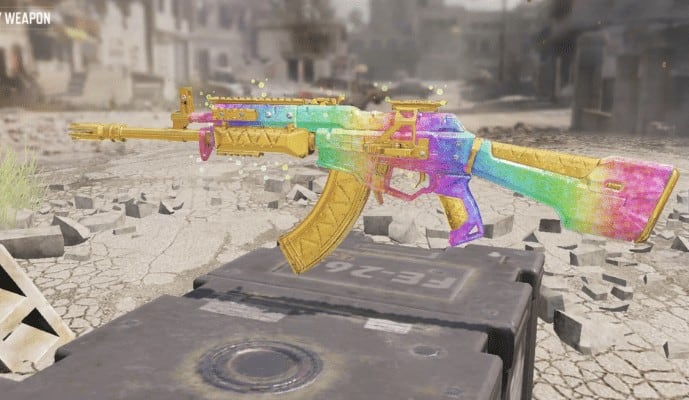
    KN-44 – Color Spectrum

    KN-44 Color Spectrum
    UnlockColor Spectrum Draw

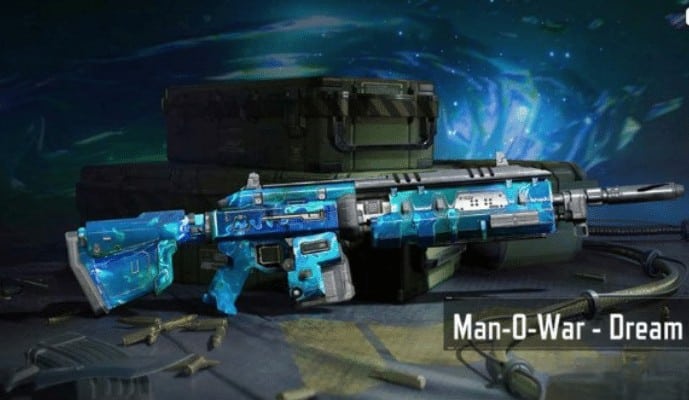
    Man-O-War – Dream Crystal

    Man-O-War Dream Crystal
    UnlockDream Crystal Draw

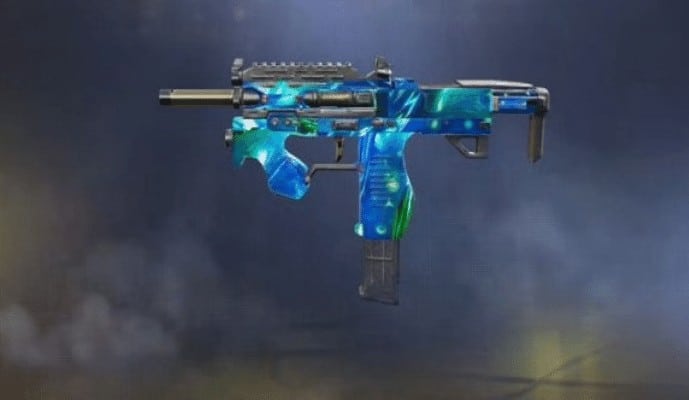
    Pharo – Dream Crystal

    Pharo dream crystal
    UnlockDream Crystal Weapon Crate

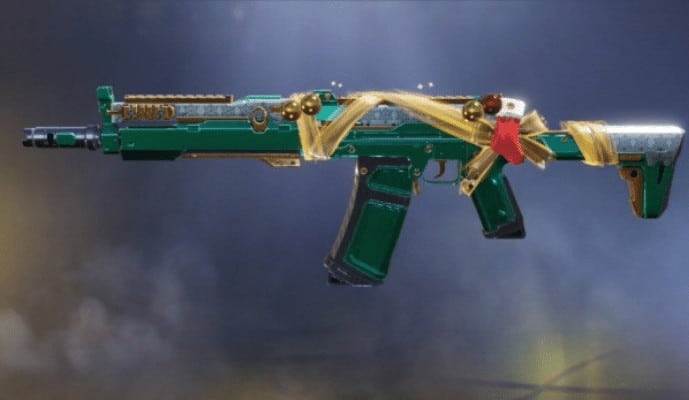
    AK117 Holidays

    AK 117 Holidays
    UnlockHoliday Draw

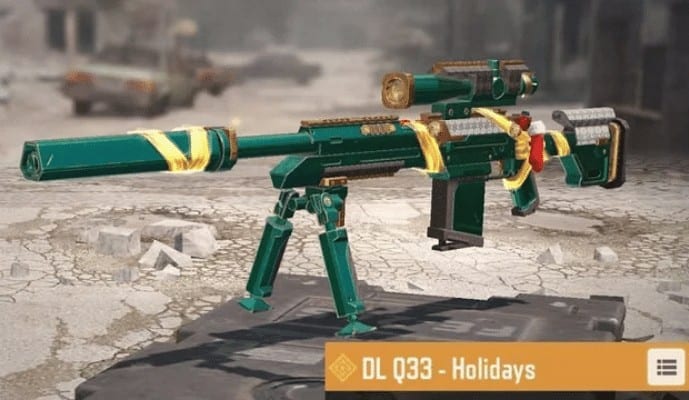
    DL Q33 Holidays

    DL Q33 Holidays
    UnlockHoliday Draw

  • How to Rank Up Faster in COD Mobile

    If you’re playing Call of Duty Mobile and want to rank up faster? You might be wondering how that is possible. Here you will find everything you need. In this article, I’ll explain three simple ways to rank up faster in Call of Duty Mobile and hopefully help you reach your goal as quickly as possible! 

    How to Rank Up Fast in COD Mobile

    How to Rank Up Faster – Three Simple Ways

    1. You can play the Isolated Battle Royale mode. You must choose a class with good skills. And score as many points for your squad as possible to ensure victory.

    1. If you have the time, you may want to watch YouTube videos about other people playing Call of Duty Mobile. If you watch these videos, you may learn some new strategies or mechanics. These channels are recommended to learn new techniques for ranking up quickly.

    It is also a straightforward Method to rank up quickly in Call of Duty Mobile

    1. Clans are also a great option! If you join a clan, you’ll have the opportunity to play with other Server players, which might motivate you to improve Your Game to Rank up Faster in Cod Mobile.
    [ads]

    ChoosiBest Guns

    Choosing the right weapon is one of the most important factors when playing rank matches. If you decide to use a gun you feel comfortable with, give yourself a few days before switching to another weapon. Remember, getting used to a new rifle can take some time.

    Currently, the best weapons at high ranks are the Oden, CBR4, Fennec, and several others. Here are more details about the top guns on Cod Mobile that will help you rank higher.

    I hope that reading this post has helped you rank higher on Cod Mobile

    [ads]

    Wrapping Up:

    Call of Duty Mobile is a competitive game, and if you want to rank up faster than your opponents, then there are things that can help. These include having the right weapons for the job, using great tactics in battle, and playing with friends who hold each other accountable.

    If you’re looking for more advice on how to improve your skills so that you’ll be able to dominate your rivals head-to-head or online – we’ve got it! Check out our blog post “The Top 10 Tips That Will Help You Rank Up Faster In Call Of Duty Mobile.” What do you think? Do these tips seem helpful? Let us know by commenting below!

  • High Tier Loot Zone In Cod Mobile

    Blackout is a battle royale map that was released during Season 8 of Call of Duty (COD) Mobile. With iconic locations such as Hijacked and Ghost Town, Blackout first appeared in Black Ops 4. 

    Array and Nuketown Island have also been introduced to the franchise through Black Ops titles including Blackout, which is essentially a jigsaw puzzle of multiple Call of Duty multiplayer maps. It’s mostly luck that determines which loot you find in Blackout, but you’ll be able to find more High Tier Loot Zone in some hotspots.

    Blackout Map Cod Mobile
    (Image Credit by: Activision)

    What is the High Tier Loot Zone in COD Mobile?

    There is no doubt that COD mobile has won thousands of hearts around the world among gamers and is very popular among them. The High Tier Loot Zones COD Mobile is a topic of interest for many players and gamers. Due to this, COD developers added several new features and weapons. Globally, it is a source of amusement for all players.

    Players can also obtain helicopters across the map, weapons, and features in COD. The High Tier Loot Zones are the areas in the game that contain the best loot and weapons. The player can consider and identify the orange & Purple colored areas as part of the High Tier Loot Zones COD Mobile.

    As a result, in this brief guide, we are going to show you where you can find five high-tier loot zones on the maps Isolated, Blackout and Alcatraz:

    Pier

    Pier Cod Mobile
    (Image Credit by: Activision)

    As soon as you are dropped off from the plane, this is the first location on the map. In this location, you can loot a lot of items, so we have included a map that pinpoints where it is located so you can see where it is in more detail.

    Practice Range

    Practice Range Cod Mobile
    (Image Credit by: Activision)

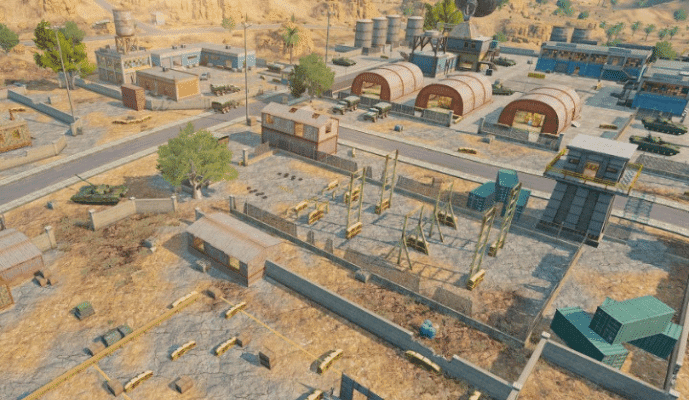
    You can find this location a little further away from your drop-off point, but it is still very close. Because there are so many weapons, armors, and even armored vehicles nearby the Practice Range, it is one of the most popular loot zones in the game. With the addition of a map, you’ll know exactly where to go without any hassle.
    Factory

    Factory Cod Mobile
    (Image Credit by: Activision)

    Although it may be the smallest of the three areas, players do not normally use it as a landing point because it is located so far southeast. Before heading into the zone, you can equip yourself with a variety of buildings of various sizes.
    Firing Range 

    Firing Range Cod Mobile
    (Image Credit by: Activision)

    Located in the middle of the map, this is probably the biggest and most hot zone of all three. It’s an area filled with constructions and even a lookout tower where you’ll find plenty of weapon crates, but be cautious as there may be several enemies in this area.
    Cell house

    Cell House Cod Mobile
    (Image Credit by: Activision)

    After entering the Alcatraz Map, you can check out the location. A high amount of dilutes is said to be present at this location, which has excellent arms. Considering its nature, it has a lot of clouds. Located in the middle of the ocean, it is surrounded by water. Upon landing in the game, you will be able to access the High Loot building through the ceiling hole.

    Parade Ground

    Parade Ground Cod Mobile
    (Image Credit by: Activision)

    Similar to the Cellhouse but closer to your drop-off zone, you can find this location on the same map. Although it may seem there isn’t much loot to be found at first glance, the area offers tons of loot, so it made our list.

    How to Survive the High Tier Loot Zone in COD Mobile?

    How to Survive the High Tier Loot Zone in COD Mobile
    Image Credit by: Activision

    COD Mobile ranks players up extremely fast if they can consistently survive high-tier loot zones. The first page of the COD Mobile textbook describes how to tier up fast. The loot and kills you find here will help you get through the remainder of the match.

    Getting looted in the high-tier zone requires surviving the first few minutes. What’s the best way to do that? You may find these tips helpful:

    • Put Your Headphone/Earbuds On: Keep an eye out for enemies’ footsteps as they approach. There is a possibility that your phone’s speaker will not reveal them.
    • Shotguns Are Kings: Early in the game, when the close combat is frequent, shotguns come in handy. Using them, you can eliminate multiple enemies at once.
    • Use Throwables: These situations require throwables, which we cannot emphasize enough. You should use your smokes or grenades strategically.

    Frequently Asked Questions

    What are class chips in COD Mobile?

    Battle Royale Operators have special abilities, such as turrets, grappling guns, and turrets in COD Mobile. On your right-hand side, you’ll find a Class Chip button. When you click it, a special ability will recharge.

    What does BR mean in Codm?

    In order for Call Of Duty Mobile BR mode to be the best in mobile gaming, it has a long way to go. In the Game Awards, Call Of Duty Mobile was able to beat PUBG and Free Fire. However, the BR mode of the game has not received the same level of praise as its multiplayer mode.

    Wrapping Up!

    In Call of Duty Mobile, there are several high loot locations that might have slipped your mind until you realized they were high loot. Those locations are open to the public now if you haven’t been there yet.

  • PP-19 Bizon SMG in Cod Mobile

    The PP-19 Bizon is one of the most recent weapons in the SMG series. The submachine gun can be used for close-combat or medium-combat fights in COD Mobile. Throughout this article, I will explain everything you need to know about this gun, how you can use it and what attachments you should use based on your play style.

    PP-19 Bizon Weapon Overview

    There is no doubt that the PP19 Bizon SMG is the best gun available in the “Tokyo Escape” Battle Pass for Season 3. To unlock it, you must reach Tier 21 in the Battle Pass

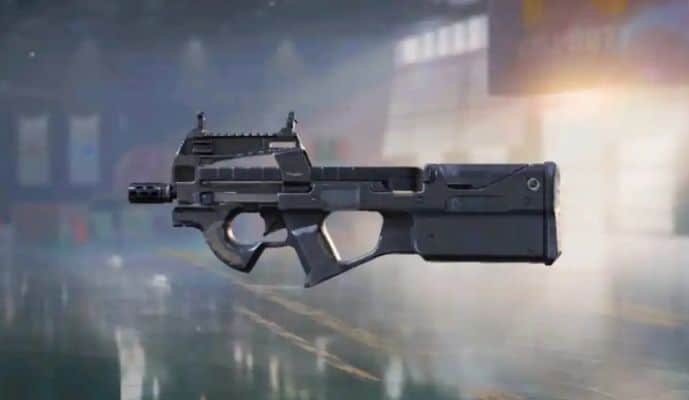
    pp-19 bizon codm

    The PP19 Bizon is a well-rounded handgun that does not disappoint. It has the damage of 38 with high fire rates and accurate firing but low recoil when shooting!

    PP19 Bizon Weapon Stats – Damage, Fire Rate, Accuracy, Range, & Mobility

    Without Any Attachment Stats:

    PP19 BizonSTATS
    Fire Rate:65
    Damage26
    Range:52
    Accuracy:62
    Mobility:102
    Controls:64

    Attachment Guide – The Best Loadout for PP19 Bizon

    Here’s the best attachment for PP19 Bizon:

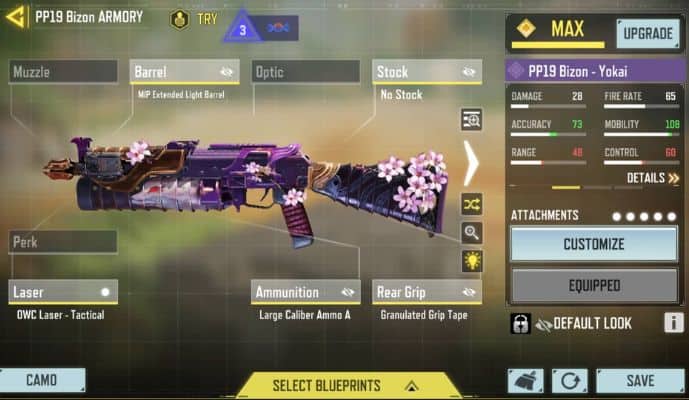
    • Barrel: MIP Extended Light Barrel.
    • Rear Grip: Granulated Grip Tape.
    • Ammunition: Large Caliber Ammo A.
    • Laser: OWC Laser – Tactical.
    • Stock: No Stock.

    Best Loadout for PP19 Bizon

    With the PP19 Bizon attachments, you can achieve the best balance of power and precision. Increased body part damage and low recoil make hitting your target more effortless!

    PP19 Bizon Skins & How to get

    You can customize your gun in COD Mobile with many excellent weapon skins. Below are the five best skins for PP19 Bizon:

    PP19 Bizon – Homebrewed Hex

    pp19-bizon-homebrewed-hex-cod-mobile

    Rarity: Legendary

    How to get: Unlock this skin in Icon of Rage Draw.

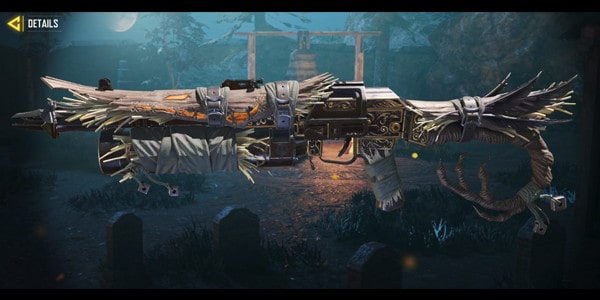
    PP19 Bizon – Haunted Haystack

    pp19-bizon-haunted-haystack-cod-mobile

    Rarity: Epic

    How to get: Unlock this skin in Season 9 Premium Battle Pass.

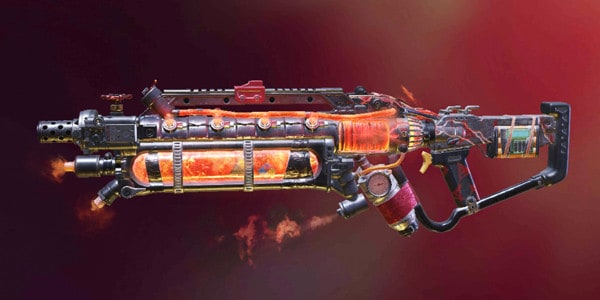
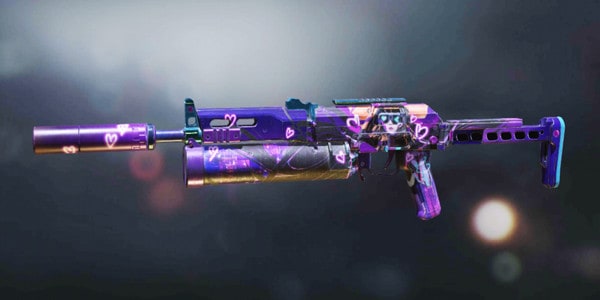
    PP19 Bizon – Cybernetic Heartbreak

    pp19-bizon-cybernetic-heartbreak-cod-mobile

    Rarity: Epic

    How to get: Unlock this skin in Season 8 Featured event.

    PP19 Bizon – Invocation

    pp19-bizon-invocation-cod-mobile

    Rarity: Legendary

    How to get: Unlock this skin in The Order Draw.

    PP19 Bizon – Yokai

    pp19-bizon-yokai-cod-mobile

    Rarity: Epic

    How to get PP19 Bizon – Yokai: Unlock this skin by reaching Tier 50 in Season 3 Premium Battle Pass.

    Wrapping Up

    In the end, the PP19 Bizon has proven to be an excellent handgun that does not disappoint. With high fire rates and accuracy firing, it has the damage of 38, but with low recoil! It is perfect for those who want to kill enemies quickly without wasting bullets.

    If you’re still unsure about this gun, let me know in the comments below, and I’ll help answer any questions you might have.